Showing posts with label honor. Show all posts
Showing posts with label honor. Show all posts
Thursday, January 4, 2018
How to Install TWRP 3 1 1 1 and Root Huawei Honor 8 Pro Success 100 Tested
How to Install TWRP 3 1 1 1 and Root Huawei Honor 8 Pro Success 100 Tested
How to Install TWRP 3.1.1-1 and Root Huawei Honor 8 Pro Success 100% Tested.
Root Huawei Honor 8 Pro. If you need any information about how to root Huawei Honor 8 Pro, now you are at the right place. This guide will show you how to root the Honor 8 Android phone. Also, this guide is fully tested on this video. You can directly watch it or continue reading this guide. We will present this guide very simple, and easy to understand. Even if you are a beginner on Android trick. Everyone has different reasons to root their Android device, so does the Honor 8 Pro owner.
By rooting your Huawei Honor 8 Pro, you will get some advantages, for example, you can increase your phone speed and battery life, Block Ads in Apps that contains Ads, even you can remove pre-installed crapware. as we have seen, that crapware cannot be uninstalled without root access. And much more advantages.
Now, lets this guide begin.
Prerequisite.
- As the main requirement to root your Huawei Honor 8, you need to unlock the bootloader. If you dont know how to do it, you can read the following guide - How to unlock the bootloader on any Huawei phone.
- Enable USB debugging on your phone.
- D0wnl0ad ADB and fastboot from Here
- Downl0ad PHH Superuser from Here
- Downl04d TWRP recovery root from this link.
- Once TWRP successfully downloaded, now put this TWRP into a platform-tools folder.
- Rename it to twrp.img
Install TWRP 3.1.1-1 Honor 8 Pro | Guide.
- Extract platform-tools-latest-windows.zip file.
- Go to extracted folder
- Then, Open platform-tools folder.
- Now, connect your Huawei Honor 8 Pro to the computer via USB cable.
- Then, from the ADB fastboot folder right click and hold the shift button, and click open command window here.

open command in adb fastboot - Once command prompt windows come up, now you need to check your Huawei Honor 8 Pro successfully connected or not using the following command and press enter.
- adb device.
- If your device is successfully connected to the computer, then the result will return like this.
- list of devices attached ...

- Once your Huawei Honor 8 Pro successfully connected to the computer. Now, reboot your device into bootloader using this command and press enter
- adb reboot bootloader
- Just wait a minute, your device will reboot into fastboot and rescue mode.
- Once your device in the fastboot and rescue mode, its time to flash TWRP recovery to your device. Therefore you need to type this command at prompt and then press enter button
- fastboot flash recovery twrp.img
- Just wait for 2 or 3 seconds for the complete flashing process.
Boot Honor 8 Pro into Recovery.
- Power off your Honor 8 Pro.
- Now, press and hold three buttons simultaneously located at the side phone body
- Volume UP + Volume Down + Power Button
- Release all button if you see a Honor logo comes up on your screen.
- Now, you will see that honor 8 Pro has been unlocked status on screen.
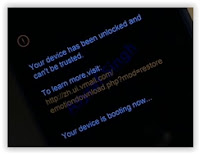
Honor 8 pro recovery mode - And now your device will boot into TWRP recovery.

- Tap Wipe - Format Data - type Yes - Ok
- Tap Back - Reboot - Recovery - Dont install
- Now your device will reboot into TWRP recovery.again. To root your Honor 8 Pro read the next step below.
Root Honor 8 Pro.
- You need to copy Superuser-r310-beta (download link available at prerequisite) to the internal storage of Huawei Honor 8 Pro
- Continued from step no. 8 above. or, make sure your device in TWRP recovery mode.
- From TWRP main menu, tap Install.
- Then, tap Superuser-r310-beta.zip from internal storage.
- Now, Swap to confirm flash.
- Once Zip file successfully flashed, you just need to click on reboot.system.
- Now, your Huawei Honor 8 Pro will reboot into the system.

Monday, January 1, 2018
Huawei Honor Hol U19 Officeil Firmwar 100 Tested SHAHIN TELECOM
Huawei Honor Hol U19 Officeil Firmwar 100 Tested SHAHIN TELECOM


THIS FIRMWARE SOLVED HANG ON LOGO TOUCH NOT WORK CAMERA MONKEY VIRUS PROBLEM LCD/Display Fix/Black 100% SOLVED


Huawei Honor Hol-U19 Blank Display Soultion
Holly-U19V100R001C328B106
MT6582_Android_scatter
preloader_huaqin82_wet_b2b_kk.bin


Friday, December 29, 2017
How to Install TWRP 3 1 1 Recovery on Huawei Honor 9 EMUI 5 1
How to Install TWRP 3 1 1 Recovery on Huawei Honor 9 EMUI 5 1
How to Install TWRP 3.1.1 Recovery on Huawei Honor 9 EMUI 5.1
TWRP 3.1.1 Huawei Honor 9. In this guide, guidebelajar will show you how to flash TWRP recovery on Huawei Honor 9 EU and Chinese version. By installing TWRP recovery on your Huawei Honor 9 allow you to install third-party firmware or custom ROM and back up the current system, and then revert to at any time. Also, you can install the third party app, kernel, and add-on (e.g. SuperSU, Google Apps, Themes), and other mods. Once TWRP recovery successfully installed on your Huawei Honor 9, you can make backing up, restoring, Wiping, and mounting various device partitions. For example boot, system, cache, user data and internal storage the Huawei Honor 9. This guide is sourced from the following video.
Ok, now lets the tutorial begins. Do at your own risk.. :)
Ok, now lets the tutorial begins. Do at your own risk.. :)
Prerequisite.
- First, you need to download these files (TWRP Recovery for Honor 9).
- Here
- Downl0ad Huawei Honor 9 driver.
- Here
- ADB Fastboot tool
- Here
- Make sure you have Unlock Bootloader on your device. See this guide to unlock bootloader Huawei Honor 9.
- Enable USB debugging on Huawei Honor 9. How to do it? or see this guide
- Go to Settings - Scroll down - About Phone - tap 7 times at Build number.
- Now you get Developer Option.
- Then Enable USB debugging
Guide to Install The TWRP.
- First, you need to install the Hsuite as a Huawei Honor 9 USB driver.
- Extract ADB fastboot tool using any zip program. e.g 7zip.
- Now, move the TWRP.3.1.1-0.img to the extracted ADB folder.
- Now open ADB folder.
- Then just click adb.exe to run it.
- Rename TWRP.3.1.1-0.img to twrp (there is no other extension)
- Now, connect your Huawei Honor 9 to the computer via USB cable.
- Then, from the ADB fastboot folder right click and hold the shift button, and click open command window here.
open command in adb fastboot - Once command prompt windows come up, now you need to check your Huawei Honor 9 successfully connected or not using the following command and press enter.
- adb device.
- If your device is successfully connected to the computer, then the result will return like this.
- list of devices attached ...
- Once your Huawei Honor 9 successfully connected to the computer. Now, reboot your device into bootloader using this command and press enter
- adb reboot bootloader
- Just wait a minute, your device will reboot into fastboot and rescue mode.

reboot into bootloader - Once your device in the fastboot and rescue mode, its time to flash TWRP recovery to your device. Therefore you need to type this command at prompt and then press enter button
- fastboot flash recovery twrp.img
- Just wait for 2 or 3 seconds for the complete flashing process.
- Make sure the twrp.img at the command prompt is the same name as the twrp name in the adb fastboot folder. (refers to step no. 6 above).
- At the end of the flashing process, you need to send a command to your device by typing this at the command prompt.
- fastboot reboot.
- And now, your Huawei Honor 9 will automatically reboot.
- Finish.
Check the TWRP is work or not?
First method (using adb fastboot command)
- Make sure your device is still connected to the computer while check the TWRP is working or not.
- From the command prompt type the following command and press enter
- adb reboot recovery
- Then, back to your phone and now it will enter the recovery mode as shown in the image below.

enter TWRP recovery mode - finish.
Second method (using physical button)
- This is the alternative method you can use to enter TWRP recovery mode without connected your phone to the computer.
- At the second method is using physical button located on the outside phone body.
- Make sure your phone is completely powered off.
- Then, power on again by press and hold the following button for a 10 to 15 seconds
- The Power Button + Volume Up
- Now, release all button when your phone successfully enters recovery mode.
- Finish
|
|
|---|


Tuesday, December 26, 2017
Huawei Honor V10 Phone Specifications Features Price in USD
Huawei Honor V10 Phone Specifications Features Price in USD

Screen Size 5.99 inches
Primary Back Camera 20 MP
6 GB RAM
4000 mAh Non Removeable Battery
Built with Front / Back Glass and Alumium Frame
Display Technology LTPS IPS LCD Cpacitive Touch Screen
Corning Gorilla Glass Protection
Android 8.0 Oreo Operating System
64 / 128 GB Internal Memory
Fast Battery Charging
Document Editor
Photo / Video Editor
Available in Various Colors
Price in USD $405
Monday, December 25, 2017
How to Root and Install Custom Recovery on Honor 4X and Ascend G620S
How to Root and Install Custom Recovery on Honor 4X and Ascend G620S
Today i will guide on How to Root and Install TWRP Recovery on Honor 4x. To Install a recovery you need to follow this post very carefully. Read all the below steps properly. If you don�t understand leave a comment. We will quickly get back to you. So first we will guide you on How to Install Recovery TWRP on Honor 4x and then we will guide on to flash root.

Step 1: First enable USB debugging from setting>developer option>. To enable Developer Options, go to About phone and tap the Build Number 7 times.
Step 5: Type this command correctly in command prompt without quotes �fastboot flash recovery recovery.img� and then press enter. It starts flashing recovery on your phone.
Step 6: Now type �fastboot boot recovery.img� in command prompt it will reboot your phone into recovery mode.Now you successfully installed custom recovery on Honor 4X.
Step 7: You are in recovery mode now. In TWRP recovery navigate to Install Zip and select �SuperSu.zip�.
benefits of Rooting �
- You can install custom ROM and custom kernel on your device for faster and better performance.
- Block Ads in apps with the help of ad blocker.
- Increase performance and battery life by killing background process automatically.
- After root and install custom recovery on Honor 4/4X you can install Xposed Framework to customize your device
- You can use Titanium Backup to restore all of your apps and data.
- You can uninstall bloatware (Pre-installed Apps)
Note:-
- Rooting may void your phone warranty, and you won�t claim it back.
- Follow the steps correctly otherwise you may brick your device. We are not responsible for any damage of your phone.
- It will erase all your personal data including data of internal storage, so we advise you first to take a complete backup of your phone and then proceed.
- Ensure that your phone has at least 50-60% charged to prevent the accidental shutdown in-between the process.
Files required: �
- Download and install Universal ADB driver for Honor 4/4X if above doesn�t work.
- Download TWRP Recovery for Honor 4x and 4 play and place it in the folder where ADB installed and rename it to �recovery.img�.
- Download SuperSu to root Honor 4/4x and copy it to your phone sd card.
How to Root and Install Custom Recovery on Honor 4X and Ascend G620S
Step 1: First enable USB debugging from setting>developer option>. To enable Developer Options, go to About phone and tap the Build Number 7 times.
Step 2: Now go to installation directory open ADB folder and open the command window thereby pressing and hold the �shift� key and right-clicked anywhere in that folder.
Step 3: Now connect your phone to PC and reboot the device into fastboot mode by typing �adb reboot bootloader�.
Step 4: In command prompt type �fastboot devices� and hit enter, it gives you serial numbers in return means your phone connect properly otherwise check the device driver again.
Step 5: Type this command correctly in command prompt without quotes �fastboot flash recovery recovery.img� and then press enter. It starts flashing recovery on your phone.
Step 6: Now type �fastboot boot recovery.img� in command prompt it will reboot your phone into recovery mode.Now you successfully installed custom recovery on Honor 4X.
Step 7: You are in recovery mode now. In TWRP recovery navigate to Install Zip and select �SuperSu.zip�.
Step 8: Swipe to install SuperSu and reboot your device. That�s it, you root and install custom recovery on Honor 4X or 4 play or Ascend G620S successfully.
So this is the complete guide of how to root and install custom recovery on Honor 4X with easy steps. To verify root access, just download root checker from Google Play store and confirm if your device has gained root access. If you have any questions, comment below.
Huawei Honor 3C Complete Review With Features And Specifications 2015
Huawei Honor 3C Complete Review With Features And Specifications 2015
Huawei is the top brand Chinese phone launching Company which has made great progress in the recent years. The ranking shows that it is now included in top 10 Smartphone launching Companies. A very well known and affordable phone of this brand is Honor 3C. It was launched at the end of 2013 in the month of December. It is available for about USD $193 and the price can vary from state to state. Though it is cheap phone but it has many new features than its predecessors. It has fast and furious processor which will never make you feel boring. We have brought this article to tell you about its Hardware, Software, functioning and working. SO if you want to know about this phone then you should read the whole article.
List Of Some Important Huawei Honor 3C Specs Review
Display And Body Specs
- 5.0 inches (~69.2% screen-to-body ratio)
- IPS LCD capacitive touchscreen
- 720 x 1280 pixels (~294 ppi pixel density) resolution
- 140 g weight
- Dual SIM (Micro-SIM, dual stand-by)
Network And Platform Specs
- GSM / HSPA
- Android OS, v4.2.2 (Jelly Bean)
- Chipset Mediatek MT6582
- Quad-core 1.3 GHz Cortex-A7
- Mali-400MP2 GPU
Camera Specs
- Primary 8 MP, 3264 x 2448 pixels, autofocus, LED flash
- Secondary 5 MP
- Geo-tagging, touch focus, face detection
- Video 1080p@30fps
Comms Specs
- Wi-Fi 802.11 b/g/n, Wi-Fi Direct, DLNA, hotspot
- Bluetooth v4.0, A2DP
- microUSB v2.0
- GPS with A-GPS, FM radio
Battery Specs And Other Features
- Li-Po 2300 mAh battery
- Accelerometer, proximity, compass sensors
- HTML 5
- Active noise cancellation with dedicated mic

Hope that you will all like our article about Huawei Honor 3C brief review. If you appreciate our work then must share it with your friends. That�s all!!!
Also See: How To Easily Root Huawei Honor 3C LTE For More Access To Your Smartphone [Tutorial].
Also See: How To Easily Root Huawei Honor 3C LTE For More Access To Your Smartphone [Tutorial].
Huawei Honor 6X Highlights specifications and price
Huawei Honor 6X Highlights specifications and price
Huawei Honor 6X� is a 5.5-inch� device, display is Full HD. The Camera is 12 MP dual (Leica), �Its loaded with a very huge capacity of 3,340 mAh battery like all Huawei phones that give us an edge with batteries. it powered by Kirin 655 2.1 GHz Octa-core processor.�
Read more �
Sunday, December 24, 2017
How To Root All Huawei Honor 4C Models For More Access To Your Smartphone Tutorial
How To Root All Huawei Honor 4C Models For More Access To Your Smartphone Tutorial
Hi guys! Hope you all will be doing well. In our previous article we have shared about the specifications and features of Huawei Honor 4C and promised to tell you how to root it. So, as to our promise we have published this article for your convenience to tell you how to get more access to your phone by a very easy method. The advantage of this method is that you do not have to connect your phone with PC or laptop and you will flash your phone without any inconvenience. First of if we look into its features and specifications, it has 1.2GHz Octa-core processor with 2 GB RAM and 8 GB ROM. This gives fast processing speed. It also supports Dual SIM with 3G Network. It has 13 MP back facing camera and 5 MP front camera. This a brief review and if you want to see its more features then click on the link shared above. There are many advantage of rooting and you will know after flashing your Android phone.
Few Steps How To Root Huawei Honor 4C Very Easily
- First go to Settings >Developer options and then enable USB Debugging on your phone.
- Go to Settings then open Security tab, scroll down and check �Unknown sources� option.
- Then install KingRoot APK App and once installed open it on your phone.
- Tap on big green circle to begin the root process which will take about 2 minutes.
- Once your phone is flashed reboot your phone. Now you have better and more access to your phone.
![How To Root All Huawei Honor 4C Models For More Access To Your Smartphone [Tutorial]](https://blogger.googleusercontent.com/img/b/R29vZ2xl/AVvXsEi0xObZ2omNpBjv_1Timta6YJa4oysnHKYxqJNluCoJ1ApqYIpL-8mRlejOyp__ofx09gUQHBPUiU-hdFflETbhkopnMtOqLVPsuDt6pVBS5JZ0cmRw1J7KVN2Zorv52LwWzNzDMXrOrw/s640/How+to+root+Huawei+Honor+4C.jpg "How To Root All Huawei Honor 4C Models For More Access To Your Smartphone [Tutorial]")
Hope that you will all like our article about how to root Huawei Honor 4C. You have seen that flashing is a very easy process and you do not have to do much. For any inconvenience during flashing share your opinions with us. We will surely help you out. That�s all!!!
Monday, December 18, 2017
How to Update Huawei Honor 5X to Official Marshmallow 6 0 1 Build B310 EMUI 4 0
How to Update Huawei Honor 5X to Official Marshmallow 6 0 1 Build B310 EMUI 4 0
The Honor 5X was launched back in October 2015 and has seen a number of Android updates ever since. However now, the device is being upgraded to the latest AOSP source with Android version 6.0.1. Huawei devices are known for its unique EMUI OS and now it has been updated to EMUI 4.0 for the Honor 5X.

Huawei Honor 5X ( KIW-L21 ) Official Android 6.0.1 Marshmallow update build B310 is now Rolling out in Middle Eastern countries.
Huawei Honor 5X ( KIW-L21 ) Official Android 6.0.1 Marshmallow update build B310 is now Rolling out in Middle Eastern countries.
Prerequisites:
Your phone Must already running one of the following firmware builds onboard:- KIW-L21C185B140
- KIW-L21C185B301
Important: Backup important files stored on your device before proceeding with the steps below, so that in case something goes wrong you�ll have backup of all your important files.
How to Update Huawei Honor 5X to Official Marshmallow 6.0.1 Build B310 EMUI 4.0
- Download Huawei Honor 5X ( KIW-L21 ) Official Marshmallow 6.0.1 Build B310 EMUI 4.0 and extract the zip package on your computer.
- Transfer the dload folder to the external microSD card of your device.
- Take a full backup of existing data stored on phone.
- Turn your device off.
- Now reboot while holding Vol down + Vol up + Power for a few seconds to initiate the upgrade process.
That�s it! Your Huawei Honor 5X should now have Android 6.0.1 Marshmallow B310 Firmware on your phone! Go to Settings > About phone to verify.
Wednesday, December 13, 2017
How to Install TWRP and Root Huawei Honor 5X KIW L24
How to Install TWRP and Root Huawei Honor 5X KIW L24
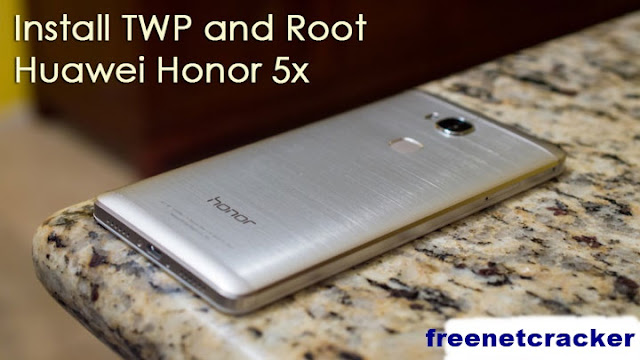
Honor 5x is the latest offering by Huawei in the budget segment. With the great success of Huawei Nexus 6P and Mate8, Huawei is looking to expand its smartphone business all over the world. This time, they have launched Honor 5x simultaneously in many countries including USA, India, and European countries to expand its business globally.
Honor 5x comes with a budget price tag but has a premium design with all metal body. The honor 5X has an octa-core Snapdragon 616 CPU with 2GB of RAM and 16GB of storage with microSD expansion up to 128GB. The 3,000mAh battery with SmartPower, a power saving feature can help extend battery life up to a day and a half with moderate usage. The 13MP camera has an f2.0 aperture while the 5MP front-facing camera has an f2.4 lens. On the back, the honor 5X has a fingerprint sensor that the company claims improves over time with usage.
Honor 5x has all the power and specs to impress a budget user. But one may/may not like the EMUI, the customized Android skin made by Huawei. You may root your Honor 5x to customize its software to your liking. Follow the steps given below to install TWRP and root your device.
Things You Will Need
- Huawei Honor 5x KIW-L24 and a PC
- TWRP: twrp_kiwi.img
- BETA-SuperSU-v2.67-20160121175247.zip
Steps to Root Huawei Honor 5X
- Make a Huawei ID at this link.
- Log in and fill out the details needed: https://goo.gl/VEKvXY
- To get the product identification code, in the phone�s dial-up interface, enter * # * # 1357946 # * # *.
- Now that you have your unlock code go to about phone in settings and click the build number until it tells you that you are a developer. Then go back once and select developer options and look for USB debugging and turn it on.
- Enable Developer settings by going to Settings > About phone and keep tapping build number until it says you are a developer. Once that is done go back to the main settings and go to developer settings and enable OEM Unlock.
- You would need ADB and Fastboot installed on your computer, but if do not have them installed follow this guide to install Minimal ADB and Fastboot in seconds, �How to Install Adb and Fastboot Within Seconds�.
- Plug your device into the computer and authorize your device key so ADB will work, then type the following commands in the Minimal ADB and Fastboot window:
adb reboot bootloader
- Once it boots into the bootloader do the following command:
fastboot oem unlock 2062712452147427 (change the unlock code to yours)
- Where numbers are put what you got from the website(unlock code). Keep in mind the above step will wipe your data so if you have any personal data back it up first.
- Boot up the phone and set it up.
- Download the TWRP recovery image for the link given above and copy it to the folder Minimal Fastboot and ADB.
- Boot back into the bootloader by typing the following command:
adb reboot bootloader
- Flash the recovery with the following command: Code:
fastboot flash recovery twrp_kiwi.img
- Once it finishes, type the following command:
fastboot reboot
- Download SuperSU zip from the link given above and copy it your device.
- Boot into recovery by typing the following:
adb reboot recovery
- This will boot TWRP on your device, select Install and browse for the copied SuperSU zip file and then swipe to confirm/Install it.
- Reboot your device.
- Enjoy!
How to Update Honor 5X to Marshmallow Manually
How to Update Honor 5X to Marshmallow Manually
The latest to tease an upcoming update is the Honor 5X from Huawei. Now you can download and Update Honor 5X to Marshmallow Manually. This update is based on EMUI 4.0 and contains all Android 6.0 Marshmallow features. The update is not available via OTA so you have to Update Honor 5X to Marshmallow Manually. To Update Honor 5X to Marshmallow manually first download honor 5x marshmallow ota zip from below.

The new Marshmallow update packed with features like Now on Tap, Doze Mode, App Permissions and more. Also, get some device specific changes like New EMUI 4.0. The Android 6.0 Marshmallow update for Huawei Honor 5X is available for download and it is about 1.16GB in size.
2) Now create a folder dload in the root of your internal storage or SD card and place the update.app file in that folder.
3) Now go to the phone settings�>update and press the menu button.
4) Now select choose Local update.
5) It will detect the update.app and installation process will start.
6) Wait until the installation process is complete and then reboot your device., you have latest firmware
7) Done.
This is the easiest way to Update Honor 5X to Marshmallow manually. If you have any questions, comment below.
The new Marshmallow update packed with features like Now on Tap, Doze Mode, App Permissions and more. Also, get some device specific changes like New EMUI 4.0. The Android 6.0 Marshmallow update for Huawei Honor 5X is available for download and it is about 1.16GB in size.
Preq:-
- Your device must be on stock firmware and stock recovery.
- This update is only for Huawei Honor 5X KII-l21.
- Follow the steps correctly otherwise you may brick your device. We are not responsible for any damage to your phone.
- It will not erase your data, but it is advisable to take a complete backup of your phone for safer side.
- Ensure that your phone has at least 50-60% charged to prevent the accidental shutdown in-between the process.
Download Official Android 6.0 for Huawei Honor 5X �
- Marshmallow for Honor 5X KII-l21� Download
Update Honor 5X to Marshmallow �
1) First, download Android 6.0 for Honor 5X from above.2) Now create a folder dload in the root of your internal storage or SD card and place the update.app file in that folder.
3) Now go to the phone settings�>update and press the menu button.
4) Now select choose Local update.
5) It will detect the update.app and installation process will start.
6) Wait until the installation process is complete and then reboot your device., you have latest firmware
7) Done.
This is the easiest way to Update Honor 5X to Marshmallow manually. If you have any questions, comment below.
Tuesday, December 12, 2017
How to Take a Screenshot on Huawei Honor 7i
How to Take a Screenshot on Huawei Honor 7i
There are many reasons for wanting to take a screenshot on your phone - Honor 7i, and different handsets handle things in different ways. You dont realise how useful capturing the screen on your device is until the option is taken away from you. Today we will show you some of the ways to capture a quick screenshot on Huawei Honor 7i screenshot.

The 4G handset gets power from a 3100 mAh battery which cant be removed but provides enough juice to run your device for a whole day. In our books, that seems like unbeatable value when you consider its rich feature-set and good all-round performance.
How to Take a Screenshot on Huawei Honor 7i
Steps to capture a screenshot on Huawei Honor 7i- Open the content you wish to screenshot.
- Press and Hold volume down and power buttons at the same time, and youll see the screen flicker and notification appear in your tray to confirm the image was captured.
- Youll notice some animations which means your screenshot has been taken.
- Once this happens, youll get a notification telling you that your screenshot is being saved.
- If you have followed the instructions you have now learned how to do a screenshot on your Huawei Honor 7i.
Where Screenshot is saved?
The image is saved in the Gallery under the folder Screenshots. Alternatively, you could pull down the notification bar which has thumbnail and options to share screenshots.Specs and Verdict
TheHuawei Honor 7i features a 5.2-inch IPS LCD capacitive touchscreen display with a 1080 x 1920 pixel resolution. It is available in 2 colors - White and Black and likely to get more colorsin future. It includes an internal storage at 32GB and can be further expanded up to 128GB via microSD card. Huawei Honor 7i comes fitted with an 13 MP rear snapper and 13 MP front camera as well. Huawei Honor 7i comes fitted with an 13 MP front camera which is ideal for video calls and taking selfies.The 4G handset gets power from a 3100 mAh battery which cant be removed but provides enough juice to run your device for a whole day. In our books, that seems like unbeatable value when you consider its rich feature-set and good all-round performance.
Monday, December 11, 2017
Huawei Honor 4C Complete Review With Features And Specifications 2015
Huawei Honor 4C Complete Review With Features And Specifications 2015
Huawei Honor 4C is vitalizing The Legend! The Company is famous all over the world for its production of good Smartphones with new technology. The very phone is recently launched in 2015. The body form is very elegant and gives a smooth texture in which back of the phone is imitated with silk coating. The thickness of the phone is just 7.9mm which is included in thin category. There is the logo of the Company at the back of the phone enthused by customary Chinese needlework. It is available in White, Black and Gold. The rare camera is processed by diamond machining process which gives an enhanced beautiful look. Its 64-bit processor reduces the battery consumption by supplying the load among the cores. Quad-core GPU Mali-450 gives fast processing and working which was not before than this time. The new thing which drew our attention is its dual SIM which allows dual conversation at the same time. Signal reception quality is enhanced by using the laser technology.
List Of Some Important Huawei Honor 4C Specs Review
Display And Body Specs
- 5.0 inches (~66.9% screen-to-body ratio)
- IPS LCD capacitive touchscreen
- 720 x 1280 pixels (~294 ppi pixel density) resolution
- 162 g weight
- Dual SIM (Micro-SIM, dual stand-by)
Network And Platform Specs
- GSM / HSPA
- Android OS, v4.4.2 (KitKat)
- HiSilicon Kirin 620 Chipset
- Octa-core 1.2 GHz CPU
- Mali-450 GPU
Camera Specs
- Primary 13 MP, 4208 x 3120 pixels, autofocus, LED flash
- Secondary 5 MP, 720p
- Geo-tagging, touch focus, face detection, HDR
- Video 1080p@30fps
Comms Specs
- Wi-Fi 802.11 b/g/n, Wi-Fi Direct, DLNA, hotspot
- Bluetooth v4.0, A2DP, EDR
- microUSB v2.0 with USB Host
- GPS with A-GPS, GLONASS, FM radio
Battery Specs And Other Features
- Li-Po 2550 mAh battery
- Accelerometer, proximity, compass sensors
- HTML 5
- Active noise cancellation with dedicated mic
- Dual conversation

Hope that you will all like our article about Huawei Honor 4C complete specifications. Also share your opinions with us in the below comment box about this phone. In our next article we will tell you how to root Huawei Honor 4C. So keep in touch with us and keep visiting AndroidSega. That�s all!!!
Also See: How To Root All Huawei Honor 4C Models For More Access To Your Smartphone [Tutorial].
Also See: How To Root All Huawei Honor 4C Models For More Access To Your Smartphone [Tutorial].
Sunday, December 10, 2017
Huawei Honor 3C H30 U10 Official Firmware Flash File MT6582 Free
Huawei Honor 3C H30 U10 Official Firmware Flash File MT6582 Free
Respected customer!
Welcome to you! gsmcrackall.blogspot.com this page is important for your mobile device. Huawei Honor 3C H30-U10 Flash File Stock ROM Firmware is very important for your all mobile version. So beautiful advertisement behind must have some pretty well hidden. This Huawei Honor 3C H30-U10 Flash File Stock ROM Firmware is hidden gold in every single page.
Dear Readers!
Huawei Honor 3C H30-U10 Flash File Stock ROM is use Meany papule because this File working very first. This is my website every flash File has no virus. This Huawei Honor 3C H30-U10 Flash File Stock ROM is most important for you mobile device. Do you know this Huawei Honor 3C H30-U10 Flash File Stock ROM helps your mobile quilted. So If your mobile phone any moment off or hang then your need this Huawei Honor 3C H30-U10 Flash File. If your mobile any problem then you can Solved this Huawei Honor 3C H30-U10 Flash File.Huawei Honor 3C H30-U10 Flash File any easy way to model Flash File you can very simple Download form this website. This Huawei Honor 3C H30-U10 Flash File any condition, is the only to 100% grantee to easy Flash File. So you can safely Update of each Model version Huawei Honor 3C H30-U10 Flash File can use.
Warning!Huawei Honor 3C H30-U10 Flash File is Released only Huawei Honor 3C H30-U10. So you Don�t trey this tutorial use any other Android device. This Huawei Honor 3C H30-U10 Flash File anything wrong then you can Download own link.

Huawei Honor 3C H30-U10 Flash File is most important for your mobile device. This Huawei Honor 3C H30-U10 Flash File develop your mobile system. Huawei Honor 3C H30-U10 Flash File is working very first. Do you know this Huawei Honor 3C H30-U10 Flash File is most important for your mobile device. This Huawei Honor 3C H30-U10 Flash File use many papule because it working very first. Huawei Honor 3C H30-U10 Flash File helps your stock ROM and develop your mobile system. If your mobile phone any cast off or hang then your need this Huawei Honor 3C H30-U10 Flash File.
Any Flash problem would be resolved by this Huawei Honor 3C H30-U10 Flash File:
At first you open your computer or your Android mobile phone.
Then you connect your Internet connection.
Now you can Go to your net browser.
Then you can clack your important link.
When your mobile phone stores and full then you can use Huawei Honor 3C H30-U10 Flash File.
When your mobile phone missing any program then you must use Huawei Honor 3C H30-U10 Flash File.
The mobile phone when dose not work then you use this Huawei Honor 3C H30-U10 Flash File.
When your mobile phone privacy lock then your need Huawei Honor 3C H30-U10 Flash File.
When your mobile phone pattern lock your need Huawei Honor 3C H30-U10 Flash File.
Your mobile ROM become Slow then you use this Huawei Honor 3C H30-U10 Flash File.
How to use Huawei Honor 3C H30-U10 Flash File:
Huawei Honor 3C H30-U10 Flash File is battery backup of minimum 50% Up to 80%.
First you setup Flash Tool On your Pc and setup Huawei Honor 3C H30-U10 USB driver.
Then you can applicable Enable OEM unlock.
Now you Go back setting about phone and tab button Number seven times to enable.
Developer Option :
Now you Go back to main sittings page Scroll to button select Developer option from there.
Huawei Honor 3C H30-U10 Flash File you click your star button Huawei Honor 3C H30-U10 driver Download model :-Now you can power off your Huawei Honor 3C H30-U10 smart mobile phone.
Press volume down button click + Home and power button wait for few seconds.
Now you can Press volume up button and into Download model :-
Open your Huawei Honor 3C H30-U10 android mobile phone support device connect your Pc with a good cable.Now you can clack your Apps tab and selected your good Prime Flash File.
How to Download Huawei Honor 3C H30-U10 Flash File:
At first you open your computer or your Android mobile phone.
Then you connected Internet.
Now you Go to your net Browser.
Then you can see a new page Now you clack Huawei Honor 3C H30-U10 Flash File.
Now you see your Important link then you can Download under link.
Now very easy you can Download this Huawei Honor 3C H30-U10 Flash File under link.
How to Update or Install Huawei Honor 3C H30-U10 Flash File:
These requirement of Huawei Honor 3C H30-U10 is battery backup of minimum 50% up to 80%.
Now you open your Android mobile phone.
Then you open your Huawei Honor 3C H30-U10 Flash File.
Then you clack Install> after few times you see Done then you clack Done.
Last you raster your Android mobile phone.
Sp Flash Tools New V5.1728
Official USB Driver
Download Firmware
Friday, December 8, 2017
How to Perform Hard Reset Huawei Honor 9 to Remove Forgotten Password
How to Perform Hard Reset Huawei Honor 9 to Remove Forgotten Password
How to Perform Hard Reset Huawei Honor 9 to Remove Forgotten Password.
Hard Reset Huawei Honor 9. Actually, performing a hard reset is a basic knowledge that must be owned by every android phone users. Because by performing a hard reset we can save our phone from stuck when forgot the password, PIN, or security pattern lock. Generally, hard reset on Android is also called factory reset. It will restore all user setting to default factory setting and erase everything stored on your Android phone. And now, we will show you how to perform the hard reset on Huawei Honor 9 if you lost the password.
hard reset Huawei Honor 9 Android phone is very easy, just follow the easy step below to perform the hard reset on your device.
Ok, let the tutorials begin.
Guide | Factory Reset Honor 9.
- Make sure your phone is Huawei Honor 9 in order to follow this guide.
- Make sure your battery is fully charged to avoid the Android system is down during the hard reset process.
- Hard reset will erase everything on your phone, we highly recommend to backup everything as soon as possible.
- Now, power off your Huawei Honor 9.
- Once the phone completely powers off, you must turn it On again by press and hold the following button simultaneously.
- The Power Button + Volume UP button.
- Keep holding all button if the Honor logo comes up in your screen.
- Just wait for a seconds.
- Now, release all button if your Huawei Honor 9 enter recovery mode.

recovery mode Honor 9 - To start the hard reset process you need to tap Wipe data/factory reset.
- on the confirm wipe all user data screen, tap Wipe data/factory reset again.

hard reset huawei honor 9 - Done, just wait the completed hard reset process.
 |
| hard reset Huawei Honor 9 |
 |
| Huawei Honor Logo |
Wednesday, December 6, 2017
Huawei Honor 7i With 13 Megapixel Flipping Camera
Huawei Honor 7i With 13 Megapixel Flipping Camera

Huawei Honor 7i With 13 Megapixel Flipping Camera
Huawei has quite recently uncovered its most recent Honor cell phone, the 7i. The handset looks like another not too bad mid-officer from Huawei, yet with one very interesting component � a pivoting back camera than appears for higher quality selfies. Im going to handle it the periscope.
Normally, cell phones incorporate a lower determination front confronting camera for feature calls and pictures, however these have never truly been that incredible. Some more current telephones have started including higher determination front confronting sensors, however the Honor 7is 13 Megapixel, f/2.0, Sony Exmor based back camera essentially flips up to take selfies, saving money on segment expenses while additionally disposing of the quality distinction between your scene and selfie shots.
Huawei additionally expresses that the pivot is sufficiently strong to withstand overwhelming utilization. The system will last no less than two years of utilization, regardless of the fact that you flip it here and there 132 times each day! Huawei isnt the first to explore different avenues regarding a double reason front and back camera. We additionally truly enjoyed the pivoting camera that was incorporated with the Oppo N1.

Huawei Honor 7i Specifications:
- CPU: 1.7 Ghz quad-core Cortex-A53 and 1.2 Ghz quad-core Cortex-A53
- Chipset: Qualcomm Snapdragon 616
- OS: Android 5.1 Lollipop with Emotion UI 3.1
- Supported Networks: 2G, 3G, 4G LTE
- Display: 5.2� with 1080p (1080 x 1920 pixels)
- Fingerprint scanner, Dual-SIM connectivity
- RAM: 3 GB
- Internal: 16/32 GB
- Card slot: yes, up to 128 GB
- Primary: 13 mp, swiveling with f/2.0, 28 mp wide-angle lens, LED
- 1080p video recording
- NFC, Bluetooth LE, NFC, Wi-Fi
Price: $250
Saturday, December 2, 2017
Huawei Honor 4C CHM U01 Stock Rom Flash File And Android 6 0 Marshmallow Update Done
Huawei Honor 4C CHM U01 Stock Rom Flash File And Android 6 0 Marshmallow Update Done
Huawei Honor 4C (CHM-U01) Android 6.0 Marshmallow Update & Hang On Logo Done
Huawei Honor 4C Android 6.0 Marshmallow Update Firmware Download
Huawei Honor 4C Latest Version Firmware File Download
Huawei Honor 4C Firmware Stock Rom File Download
Huawei Honor 4C Stock Rom Firmware Flash File Download

4c CHM-U01 Android 6.0 : Download Firmware
http://download-c.huawei.com/downloa...48&siteCode=in
CHM-U01_6.0_B510_EMUI:4.0_CHM-U01C675B510 Mirror 1
Asia Pacific Country: India Full firmware
Honor 4C_CHM-U01_Firmware_Andriod 6.0_EMUI 4.0_C185B503
Egypt_Oman_Saudi Arabia_Iraq_Pakistan_Channel
CHM-U01_C185B310_ANDROID 5.1.1_EMUI 3.1
How To Flash:
Normal upgrade
Copy the Dload package to Micro SD.
Copy the entire dload folder (with UPDATE.APP in it) to the root directory of the Micro SD card.
Insert the Micro SD card into the handset and power on. After entering the home screen, To find System Update application, press dialer->*#*#2846579#*#*->software upgrade->SD card upgrade to start the upgrade.
When the progress bar stop, the phone will restart automatically.
Please copy the Software: vendor package UPDATE.APP to a directory named dload.
Then Execute Step 1 � Step 4 repeatedly. This step is needed only when the version is
upgraded by Guest member.
Force upgrade
Copy the Dload package to Micro SD.
Copy the entire dload folder (with UPDATE.APP in it) to the root directory of the Micro SD card.
Make sure your handset is power off. Insert the Micro SD card into the handset. Press the VOLUME UP and VOLUME DOWN key, and then press the POWER key to power on the phone and enter the Software Upgrade Mode.
When the progress bar stop, the phone will restart automatically.
Friday, December 1, 2017
Huawei Honor 6 Official Factory Flash Firmware 100 Tested
Huawei Honor 6 Official Factory Flash Firmware 100 Tested
Huawei Honor 6 Official Firmware Flash File 100% Tested Without Password
Huawei Honor 6 Tested Factory Firmware Flash File Update Version
Huawei Honor 6 Flash File Android Official Flash File No Risk Free Download
Huawei Honor 6 Firmware File Without Password Not Risk
Huawei Honor 6 Factory Flash Firmware Tested 100% User Date No Lock Problem
Huawei Honor 6 Factory Flash Firmware Tested 100% User Date No Lock Problem
Huawei Honor 6 Flash FIle Tools Files No Fix All Virus All FixFree Download

Huwei Honor 6 Official Flash File Honor Smartphone Flash Firmware Are You Foolowing All Without Password Not Password Potteted All Factory Android Firmware Full Free Download Full Post Full Free Download No Need Money Just Help All Public Post No Money Honor 6 Flash File Full Ziped Flash File Full Zip No Virus Problem Fix Full Zip Flash File Smartphone Factory Firmware - Tools Free Download
Huawei Honor 6 Flash File Version Honor 6_Firmware_H60-L04_Android 6.0 _EMUI 4.0_C432BB30_Chanel -Firmware Flash File Download
Huawei Honor 6 Stock Logo Problem Solved Flash File Smartphone Files
Huawei Honor 6 Flash Firmware No Visus Problem Fix All Ziped Flash File Full Pakage By Official Files
Huawei Honor 6 Flash File Sreen Lock Problem Solved Not Money Full Free Download
Huawei Honor 6 Flash File Stock Logo Black Sreen Done This Firmware No Risk Full Free
Download Huawei Honor 6 Flash File Update Version Download Link
Huawei Honor 6 Flash File Tested Version
Huawei Honor 6 Factory Flash File Pakage Here
Huawei Honor Official Flash File Post Full Free Download
Huawei Honor 6 Flash File logo Problem Done
Update Intruduction
Download Full Pakage Flash File And Extract Your Computet
And Move Dlode File For Sd Card
And Rebot Your Mobile Holding Vol Down + Vol Up + Power For Update Full Flashing
Thanks For visite My Site All Factory Firmware Full Free Download Add Yahoo id : mdtuhin88@yahoo.com
Thursday, November 30, 2017
Huawei announces Honor 2 with a quad core CPU and 2GB RAM
Huawei announces Honor 2 with a quad core CPU and 2GB RAM
Huawei has announced the Android-based Honor 2, which comes with some major hardware improvements over its predecessor.

The Huawei Honor 2 will be releasing in China later this week for 1,888 yuan ($302).
Source
The Huawei Honor 2 will be releasing in China later this week for 1,888 yuan ($302).
Source
Huawei Honor 2 U9508 Hard Reset
Huawei Honor 2 U9508 Hard Reset
Huawei Honor 2 (U9508) Hard Reset


Amjad Mobile Shop
All Mobile Software And Unlocking Lab
Contact: For Me ....+92.336.4451753
Subscribe to:
Posts (Atom)