Showing posts with label flash. Show all posts
Showing posts with label flash. Show all posts
Thursday, January 4, 2018
huawei clone sm x1 flash file download huawei clone sm x1 firmware download
huawei clone sm x1 flash file download huawei clone sm x1 firmware download
huawei clone sm- x1 flash file download - huawei clone sm- x1 firmware download
MT6589__4G__X1__X1__6.0__ALPS.KK1.MP5.V1.3

huawei clone x1 flash file download - huawei clone x1 firmware download
huawei clone x1 stock room download
huawei x1 clone flash file download - huawei x1 clone firmware download
huawei x1 clone stock room download
Click huawei clone sm- x1 flash file download link
Wait for phone...
Phone found! [ 6 ]
Sync...
Inital Boot Ok!
BB_CPU_PID : 6583
BB_CPU_NME : [MediaTek] MT6583|6589_S00
BB_CPU_EXT : 0xCA01 , 0x8A00 , 0x0000
Processing BROM stage
Settings for BROM configured!
SecCfgVal : 0x00000000
BromVer : 0x00FF
BLVersion : 0x0001
PreLoader : Active [ Boot with PL ]
BootLdrSS : NORMAL with PRELOADER
Processing DA stage
DA Select done, will use MTK_AllInOne_DA_v5.1624.16.07
Sending and initialize DA ...
Running DA ver.3.2 on BBID : 0x86
NAND Flash : NOT INSTALLED
eMMC Flash : 5300014534304D45B03028475F50077C
Initialize Memory ...
DRAM already initialized by Preloader
DAgent sent , init HW now
eMMC FlashIC initialized
[eMMC] : FLASH_VEN : 0x45 , OEM : 0100
[eMMC] : FLASH_INF : [SANDISK] , G40ME
[eMMC] : FLASH_CID : 45010053454D3034472830B07C07505F
[eMMC] : FLASH_BRT : 0x00200000 , 0x00200000 , 0x00200000
[eMMC] : FLASH_LEN : 0x00000000EC000000
[eMMC] : FLASH_UCP : 3776 MiB [eMMC 4 GiB]
DEV RID : 0xF127BCA39BF5BCE27A98812B4AB27E48
INT RAM : 0x00020000
EXT RAM : 0x20000000 [512 MiB]
BOOT TYPE : EMMC_FLASH_BOOT
SOC VERIFY : C1
Boot Ok!
Reading Flash Content now ...
Brand : 4G
ProdName : X1
ProdModel : X1
Device : X1
AndroidVer: 6.0
MTKxCPU : MT6589
MTKxPRJ : ALPS.KK1.MP5.V1.3
[Read Ok] : preloader_eastaeon89_wet_td.bin
[Read Ok] : MBR
[Read Ok] : EBR1
[Read Ok] : lk.bin
[Read Ok] : boot.img
[Read Ok] : recovery.img
[Read Ok] : secro.img
[Read Ok] : logo.bin
[Read Ok] : system.img
[Read Ok] : cache.img
[Read Ok] : userdata.img
[ScatCFG] : MT6589 / V1.0.0 / eastaeon89_wet_td / EMMC
Android Info saved
MAUI Meta DB saved
HWConfig Info saved
FW Size : 845 MiB
Scatter saved to : C:UsersGsm TomalDesktopMT6589__4G__X1__X1__6.0__ALPS.KK1.MP5.V1.3
All done!
Done!
Elapsed: 00:03:50
Reconnect Power/Cable!
Phone found! [ 6 ]
Sync...
Inital Boot Ok!
BB_CPU_PID : 6583
BB_CPU_NME : [MediaTek] MT6583|6589_S00
BB_CPU_EXT : 0xCA01 , 0x8A00 , 0x0000
Processing BROM stage
Settings for BROM configured!
SecCfgVal : 0x00000000
BromVer : 0x00FF
BLVersion : 0x0001
PreLoader : Active [ Boot with PL ]
BootLdrSS : NORMAL with PRELOADER
Processing DA stage
DA Select done, will use MTK_AllInOne_DA_v5.1624.16.07
Sending and initialize DA ...
Running DA ver.3.2 on BBID : 0x86
NAND Flash : NOT INSTALLED
eMMC Flash : 5300014534304D45B03028475F50077C
Initialize Memory ...
DRAM already initialized by Preloader
DAgent sent , init HW now
eMMC FlashIC initialized
[eMMC] : FLASH_VEN : 0x45 , OEM : 0100
[eMMC] : FLASH_INF : [SANDISK] , G40ME
[eMMC] : FLASH_CID : 45010053454D3034472830B07C07505F
[eMMC] : FLASH_BRT : 0x00200000 , 0x00200000 , 0x00200000
[eMMC] : FLASH_LEN : 0x00000000EC000000
[eMMC] : FLASH_UCP : 3776 MiB [eMMC 4 GiB]
DEV RID : 0xF127BCA39BF5BCE27A98812B4AB27E48
INT RAM : 0x00020000
EXT RAM : 0x20000000 [512 MiB]
BOOT TYPE : EMMC_FLASH_BOOT
SOC VERIFY : C1
Boot Ok!
Reading Flash Content now ...
Brand : 4G
ProdName : X1
ProdModel : X1
Device : X1
AndroidVer: 6.0
MTKxCPU : MT6589
MTKxPRJ : ALPS.KK1.MP5.V1.3
[Read Ok] : preloader_eastaeon89_wet_td.bin
[Read Ok] : MBR
[Read Ok] : EBR1
[Read Ok] : lk.bin
[Read Ok] : boot.img
[Read Ok] : recovery.img
[Read Ok] : secro.img
[Read Ok] : logo.bin
[Read Ok] : system.img
[Read Ok] : cache.img
[Read Ok] : userdata.img
[ScatCFG] : MT6589 / V1.0.0 / eastaeon89_wet_td / EMMC
Android Info saved
MAUI Meta DB saved
HWConfig Info saved
FW Size : 845 MiB
Scatter saved to : C:UsersGsm TomalDesktopMT6589__4G__X1__X1__6.0__ALPS.KK1.MP5.V1.3
All done!
Done!
Elapsed: 00:03:50
Reconnect Power/Cable!
Click huawei clone sm- x1 flash file download link
Hello All Gsm Friends
Gsm Tomal
http://gsmtomal.blogspot.com/
Bkash Personal @# 01729489693 #@
Skype = mdtomal.hossain
Shop Name = The Mobile Hospital
All Kinds Of Mobile Hardware & Software Solution
Facebook Fun Page = https://www.facebook.com/Gsmtomalboss
Any Problem Contact Facebook = https://www.facebook.com/gsmtomal
Gsm Tomal
http://gsmtomal.blogspot.com/
Bkash Personal @# 01729489693 #@
Skype = mdtomal.hossain
Shop Name = The Mobile Hospital
All Kinds Of Mobile Hardware & Software Solution
Facebook Fun Page = https://www.facebook.com/Gsmtomalboss
Any Problem Contact Facebook = https://www.facebook.com/gsmtomal

how to use flash drive as ram windows 7
how to use flash drive as ram windows 7
Hi friends! I am sharing with you all very interesting trick. From this trick we can make our Flash Drive (USB) as a fastest RAM. Because everyone wants to make his Personal Computer become fastest without RAM. So what we do should that time? If we are working as a professional and our PC is working very slowly maybe it cause of slow speed due to RAM. So Let�s Start!
Right click on My Computer desktop Icon and go to Properties.


System Properties dialogue will be open then go to Advanced tab and press the first settings button.

STEP 4:
When you hit the System Properties settings button, System Properties gives new dialogue box will open go to his Advanced tab.


Check the radio button of Custom Size: and put the value what you want in both options: Initial size (MB): and second one is Maximum (MB):

After the complete action You will look Message from Windows: "You must restart your computer to apply these changes"

Before restarting, save any open files and close all programs.
How to Root and Flash Custom Recovery on Samsung Galaxy SL GT I9003
How to Root and Flash Custom Recovery on Samsung Galaxy SL GT I9003

Maybe you�re looking to run some root-only apps on your device? Maybe you want the freedom that your friend�s having with his rooted Android device? No problem, we�ll help you root your device. The Samsung Galaxy SL can be rooted using the popular SuperOneClick app and this guide walks you through all the steps to root the device. So, follow it and get your device rooted.
I. Before You Begin:
1. Be aware that rooting your device will void its warranty. However, unrooting should help you reinstate the warranty provided an unrooting procedure�s available there.
2. This works on Windows based PCs only.
II. Downloading Required Files:
1. SuperOneClick (Download the latest version of the app)
III. Rooting the Samsung Galaxy SL (GT-I9003):
1. Download and place the app archive onto your Desktop.
2. Extract files from the archive over to your Desktop.
3. Turn ON the USB debugging option on your device by heading to Menu>>Settings>>Applications>>Development>>USB debugging.
4. Once enabled, connect your device to your PC via USB cable.
5. Run the SuperOneClick app by double-clicking on its executable file.
6. Click Root button in the app and it�ll start rooting your device.
7. Once it�s done, reboot your device.
8. You�re done!
Awesome! Your device has been rooted and you should be able to find the Superuser app in your App Drawer. Your phone is now ready to be loaded with root-only apps!
IV. Flash a Custom Recovery Image (Optional):
1. If you would like to flash a custom recovery image in order to flash custom ROMs, head to the How To Flash a Custom Recovery Image on the Samsung Galaxy SL (GT-I9003) to learn how to do that.
If this procedure helped you please thank/donate to the original developers here and here.
If you need help with this procedure, please ask in the comments below.
Wednesday, January 3, 2018
I10 SYMPHONY I10PLUS HW1 V5 FLASH FILE
I10 SYMPHONY I10PLUS HW1 V5 FLASH FILE
I10+ SYMPHONY I10PLUS + HW1 V5 MT6580 7.0 FLASH FILE AND FLASH TOOL TESTED

FLASH AFTER FRP LOCK REMOVE DONE
PASSWORD PROTECTED.
PH:01733862630.
DOWNLOAD
huawei clone x6s flash file download huawei clone x6s firmware download
huawei clone x6s flash file download huawei clone x6s firmware download
huawei clone x6s flash file download - huawei clone x6s firmware download
MT6580__X6s__X6s__w825_644_ax_xm_x6s__5.1__w825_644_ax_xm_x6s_v1.3


Wait for phone...
Phone found! [ 6 ]
Sync...
Inital Boot Ok!
BB_CPU_PID : 6580
BB_CPU_NME : [MediaTek] MT6580_S00
BB_CPU_EXT : 0xCA00 , 0x8A00 , 0x0000
Processing BROM stage
Settings for BROM configured!
SecCfgVal : 0x00000000
BromVer : 0x00FF
BLVersion : 0x0001
PreLoader : Active [ Boot with PL ]
BootLdrSS : NORMAL with PRELOADER
Processing DA stage
DA Select done, will use MTK_AllInOne_DA_v5.1624.16.07
Sending and initialize DA ...
Running DA ver.4.2 on BBID : 0x94
NAND Flash : NOT INSTALLED
eMMC Flash : A80111303546484D42100000093F53DF
[WARNING] : MEMORY_eMMC_VALIDATE_FAILED
Initialize Memory ...
DRAM already initialized by Preloader
DAgent sent , init HW now
eMMC FlashIC initialized
[eMMC] : FLASH_VEN : 0xA8 , OEM : 0111
[eMMC] : FLASH_INF : [NOT_IN_BASE] , BMHF5
[eMMC] : FLASH_CID : A80111303546484D42100000093F53DF
[eMMC] : FLASH_BRT : 0x00400000 , 0x00400000 , 0x00020000
[eMMC] : FLASH_LEN : 0x00000001BB000000
[eMMC] : FLASH_UCP : 7088 MiB [eMMC 8 GiB]
DEV RID : 0xF127BCA3BC576053791092155E6E7DE2
INT RAM : 0x00020000
EXT RAM : 0x20000000 [512 MiB]
BOOT TYPE : EMMC_FLASH_BOOT
SOC VERIFY : C1
Boot Ok!
Reading Flash Content now ...
xGPT : Normalize settings Ok!
Brand : X6s
ProdName : full_w825_644_ax_xm_x6s
ProdModel : X6s
Device : w825_644_ax_xm_x6s
AndroidVer: 5.1
MTKxCPU : MT6580
MTKxPRJ : w825_644_ax_xm_x6s_v1.3
[Read Ok] : preloader_w825_644_ax_xm_x6s.bin
[Read Ok] : lk.bin
[Read Ok] : boot.img
[Read Ok] : recovery.img
[Read Ok] : logo.bin
[Read Ok] : secro.img
[Read Ok] : system.img
[Read Ok] : cache.img
[Read Ok] : userdata.img
[ScatCFG] : MT6580 / V1.1.2 / w825_644_ax_xm_x6s / EMMC
Android Info saved
MAUI Meta DB saved
HWConfig Info saved
FW Size : 1561 MiB
Scatter saved to : C:Usersfirmwarerom 24 DesktopMT6580__X6s__X6s__w825_644_ax_xm_x6s__5.1__w825_644_ax_xm_x6s_v1.3
All done!Done!
Elapsed: 00:06:02
Reconnect Power/Cable!

Hello All Gsm Friends
All Flash File Firmware Stock Room Box Setup Drivers
By
Firmware Rom 24
Bkash Personal @# 01883319196 #@
http://firmwarerom24.blogspot.com/
All Kinds Of Mobile Hardware & Software Solution
Facebook Link = https://www.facebook.com/firmwarerom24tested
huawei clone x6s flash file free download,huawei clone x6s flash file without password
huawei clone x6s firmware without password,huawei clone x6s firmware free download
huawei flash tool free download
huawei flash tool free download
Huawei Mobile flashing tool free download
Flash tool for Huawei all brands free download. On this web page you will be able to download latest flashing tool with useful features full setup file for Huawei all mobile devices.Huawei one of the cheapest and slim, smart, and attractive cell phones. There are a lot of users of Huawei since it has been made. In a short time the brand have been become most popular in all over the world due to its smartness physics and working features. But with the passage of time there have been founding some issues with the old firmware/ flash files/ stock roms that is installed. Now it has been become very easy that you can download Huawei firmware and then with the use of Huawei flash tool you can easily flash you mobile phone at your home as well.

To download latest flashing tool for Huawei all brands, just turn yourself to the downward of this article and follow the instruction which has been shared below here. It is a latest and updated downloading link which will provide you the most useful file from an open source. By using it you can flash your cell phone accurately according to official features.
Download free
Flash tool for Huawei all brands free download. On this web page you will be able to download latest flashing tool with useful features full setup file for Huawei all mobile devices.Huawei one of the cheapest and slim, smart, and attractive cell phones. There are a lot of users of Huawei since it has been made. In a short time the brand have been become most popular in all over the world due to its smartness physics and working features. But with the passage of time there have been founding some issues with the old firmware/ flash files/ stock roms that is installed. Now it has been become very easy that you can download Huawei firmware and then with the use of Huawei flash tool you can easily flash you mobile phone at your home as well.
To download latest flashing tool for Huawei all brands, just turn yourself to the downward of this article and follow the instruction which has been shared below here. It is a latest and updated downloading link which will provide you the most useful file from an open source. By using it you can flash your cell phone accurately according to official features.
Download free
Tuesday, January 2, 2018
Htc 626G Stuck On Logo Solved With Flash By Falcon Box™
Htc 626G Stuck On Logo Solved With Flash By Falcon Box™
Add caption |
Htc 626G Stuck On Logo Solved With Flash By
Falcon Box�
Htc 626G Stuck On Logo Solved With Flash By
Falcon Box� 
HTC Desire 526 MT6582 V4 4 4 Update Firmware Flash File
HTC Desire 526 MT6582 V4 4 4 Update Firmware Flash File
Welcome To Our Official Smartphone Stock Rom Download Site.Now Download Mediatek Chipset Smartphone Firmware flash File.All Mediatek Smartphone Firmware Free Download Site www.xdarom.com.If You Need free 100% working Stock Rom.So Visit Our Official website & Get Download Your Targeted Stock Rom.
Stock Rom Details:
Smartphone Brand Name: HTC
Smartphone Prod Model Name: Desire 526
Require Chipset/Cpu: Mediatek 6582
Operating System Version: 4.4.4 kitkat
Firmware Support Area: All Country
Firmware Using Password: No Password Applicable
Firmware Download Size: Check Download Server Or Download Link
Firmware Release: 2016
Download Firmware Link Area
Flashing/Installer Guideline
3rd Step: Download Mediatek Usb Driver.Mustbe Your smartphone Model Supported1st Step: Download Your Targeted Flash File/Stock Rom.Recheck Your Model & Version.2nd Step: Download Smartphone (SP) Flash Tools Or Supported Flash Tools.
4th Step: Unzip download flash firmware/Stock Rom.5th Step: Setup Usb Android Mediatek smartphone Driver.(Skip Already Install driver.)6th Step: Setup/open Mediatek smartphone Flash Tools.7th Step: Open Smartphone (SP) Flash Tool.8th Step: Load your Targeted model scatter/Document file.Then All File Auto Select .9th Step: Battery Charge minimum 50%.Its important issue for Flash.10th Step:Connect Usb Cable with Pc.11th Step: Press Flash/Download/Upgrade Button.12th Step: Reconnect Battery.13 Step: Press Volume � or Boot key & inset usb Cable.14th Step: Wait 3-8 Minute For Flash Done.
For Flashng Tutorial/Guideline Click Now
��.www.xdarom.com Always 1 Step Ahead��..
Improtant Advice: Backup Your All Personal Data Befor Flash.Its Most important step.Befor flash Backup your Previews firmware.
Monday, January 1, 2018


Htc D816h Flash File 100 TESTED BY GSM MEHEDI
Htc D816h Flash File 100 TESTED BY GSM MEHEDI
Download https://docs.google.com/uc?id=0B-M6G9zRRxGzTjNVeTBVWFc5d2c&export=download
Sunday, December 31, 2017


Huawei Y541 U02 Flash File White Screen Problem Fix Firmware
Huawei Y541 U02 Flash File White Screen Problem Fix Firmware
HUAWEI Y541-U02 SPD FIRMWARE FLASH FILE SPD FLASH FILE UPDATE VERSION Display White Problem FIX Tested By Gsm Pagla
HUAWEI Y541-U02 FLASH FILE SPD FRP PROBLEM SOLVED THIS FIRMWARE DOWNLOAD
HUAWEI Y541-U02 FLASH FILE SPD FRP PROBLEM SOLVED THIS FIRMWARE DOWNLOAD
HUAWEI Y541-U02 Factory Flash File Update - Verson File Ok HUAWEI Y541-U02 Official Tested Pac Firmware 100% TestedHUAWEI Y541-U02 SPD OFFICIAL {OFFICIAL Pac Factory FILE Update} Flash FileHUAWEI Y541-U02 FIRMWARE SPD PAC File No Risk 100% Tested>>File Full Tested Free<<
HUAWEI Y541-U02 FIRMWARE SPD PAC File No Risk 100% Tested
>>File Full Tested Free<<

 PHONE MODEL _HUAWEI Y541-U02 SPD PAC
PHONE MODEL _HUAWEI Y541-U02 SPD PAC
How To Nokia 225 Usb Cable Pinout Rx Tx Solution 10000 Ok Flash
How To Nokia 225 Usb Cable Pinout Rx Tx Solution 10000 Ok Flash

Nokia Infinity Update Flash Pinout Solution 10000%Working
visit link download
Read more »
Saturday, December 30, 2017
Huawei G750 T01 New Preloader Firmware Flash File Download
Huawei G750 T01 New Preloader Firmware Flash File Download
Huawei G750-T01 New Preloader Firmware Flash File Download. This Stock Firmware ROM (Flash File) is working update download now from below! We are providing you the direct link to download the Huawei G750-T01 New Preloader Firmware Flash File Download from download link below. Firmware contains Flash Tool, Driver and instructions. We tested the stock firmware ROM (flash file) and it worked perfectly.
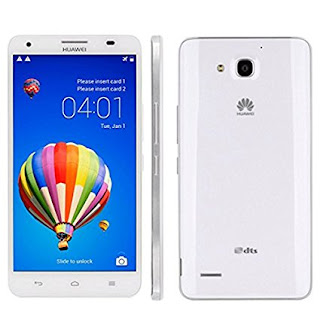
How to Flash Stock Firmware ROM (Flash File)
Step 1: Download and extract the firmware on your computer.
Step 2: After extracting you will find the SP Flash Tool, Driver and instruction manual.
Step 3: Install the USB Drivers (skip if drivers are already installed).
Step 4: Open the SP Flash Tool and load the Scatter File from the firmware folder.
Step 5: Connect your Smartphone to the computer using the USB Driver.
Step 6: Click on Upgrade / Download Button in the SP Flash Tool to Begin the Flashing.
Step 7: Green Ring will appear at the end of successful Flash.
Important Notes: Take a Backup of your mobile data before flashing or installing the firmware on your smartphone. As this will help you to recover the data whenever any thing wrong happens to your mobile.
Download Link: Huawei G750-T01 New Preloader Firmware Flash File
Free Download
visit link download
Read more »
Friday, December 29, 2017
Huawei Ascend G7 L01 Firmware Flash File 100 Tested Free Download
Huawei Ascend G7 L01 Firmware Flash File 100 Tested Free Download
Disclaimer: This firmware use to update and repair Huawei Ascend G7-L01 software problem, flashing a firmware is not without risks. If you don�t do it properly, you might render your phone inoperable. If you decide to proceed we won�t be liable to whatever might get wrong (neither we could provide technical support).What you can do with Huawei Ascend G7-L01 Stock Firmware / ROM?- Unroot your Smartphone
- Unbrick your Smartphone
- Restore your smartphone back to factory settings
- Remove any custom ROM/Recovery on your smartphone
- Set it back to 100% stock settings, just like the day you first got it
Backup your data before start flashing you smartphone if you don�t know how backup your data read those Articles,How to Auto Backup Photos on Android SmartphoneHow to Backup your Data on Android deviceYou are flashing at your own risk.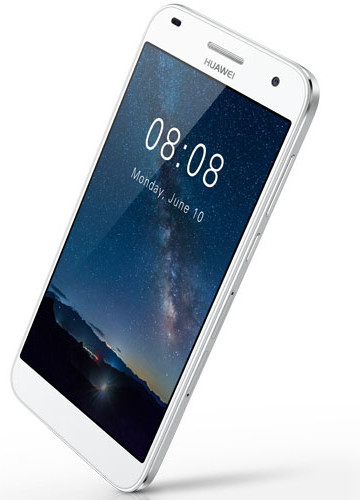 Download Link:
Firmware Huawei Ascend G7-L01
From here G7-L01-V100R001C00B250CUSTC185D001.rar
visit link download
Read more »
Htc Desire 626g Flash file Dual Sim Stock Firmware Download
Htc Desire 626g Flash file Dual Sim Stock Firmware Download
Htc Desire 626g+ Dual Sim MTK DEAD RECOVER LCD, CAMERA, LOGO, Brick Virus SOLVED FLASH FILE By Gsm Pagla
>>Htc Desire 626g+ Firmware Scatter FILE<<
Htc Desire 626g+ FLASH FILE MT6580 MONKEY VIRUS PROBLEM SOLVED File THIS FIRMWAREHtc Desire 626g+ MT6580 Scater. Flash File Update Stock - FirmwareHtc Desire 626g+ MT6580 Firmware Stock Rom File Tested FirmwareHtc Desire 626g+ MT6580 V5.1 Stock Rom Logo File Tested No Risk
Htc Desire 626g+ FLASH FILE MT6580 MONKEY VIRUS PROBLEM SOLVED File
>>File Full Tested Not Free<< 

PHONE MODEL - Htc Desire 626g+ MTK6580 5.1
How To Nokia 225 Usb Cable Pinout Rx Tx Solution 10000 Ok Flash
How To Nokia 225 Usb Cable Pinout Rx Tx Solution 10000 Ok Flash
Nokia Infinity Update Flash Pinout Solution 10000%Working
Saturday, December 30, 2017
Huawei G750 T01 New Preloader Firmware Flash File Download
Huawei G750 T01 New Preloader Firmware Flash File Download
Huawei G750-T01 New Preloader Firmware Flash File Download. This Stock Firmware ROM (Flash File) is working update download now from below! We are providing you the direct link to download the Huawei G750-T01 New Preloader Firmware Flash File Download from download link below. Firmware contains Flash Tool, Driver and instructions. We tested the stock firmware ROM (flash file) and it worked perfectly.
How to Flash Stock Firmware ROM (Flash File)
Step 1: Download and extract the firmware on your computer.Step 2: After extracting you will find the SP Flash Tool, Driver and instruction manual.
Step 3: Install the USB Drivers (skip if drivers are already installed).
Step 4: Open the SP Flash Tool and load the Scatter File from the firmware folder.
Step 5: Connect your Smartphone to the computer using the USB Driver.
Step 6: Click on Upgrade / Download Button in the SP Flash Tool to Begin the Flashing.
Step 7: Green Ring will appear at the end of successful Flash.
Important Notes: Take a Backup of your mobile data before flashing or installing the firmware on your smartphone. As this will help you to recover the data whenever any thing wrong happens to your mobile.
Download Link: Huawei G750-T01 New Preloader Firmware Flash File
Free Download
Free Download
Friday, December 29, 2017
Huawei Ascend G7 L01 Firmware Flash File 100 Tested Free Download
Huawei Ascend G7 L01 Firmware Flash File 100 Tested Free Download
Disclaimer: This firmware use to update and repair Huawei Ascend G7-L01 software problem, flashing a firmware is not without risks. If you don�t do it properly, you might render your phone inoperable. If you decide to proceed we won�t be liable to whatever might get wrong (neither we could provide technical support).
What you can do with Huawei Ascend G7-L01 Stock Firmware / ROM?
- Unroot your Smartphone
- Unbrick your Smartphone
- Restore your smartphone back to factory settings
- Remove any custom ROM/Recovery on your smartphone
- Set it back to 100% stock settings, just like the day you first got it
Backup your data before start flashing you smartphone if you don�t know how backup your data read those Articles,
How to Auto Backup Photos on Android Smartphone
How to Backup your Data on Android device
You are flashing at your own risk.
Download Link:
Firmware Huawei Ascend G7-L01
From here G7-L01-V100R001C00B250CUSTC185D001.rar
Htc Desire 626g Flash file Dual Sim Stock Firmware Download
Htc Desire 626g Flash file Dual Sim Stock Firmware Download
Htc Desire 626g+ Dual Sim MTK DEAD RECOVER LCD, CAMERA, LOGO, Brick Virus SOLVED FLASH FILE By Gsm Pagla
>>Htc Desire 626g+ Firmware Scatter FILE<<
Htc Desire 626g+ FLASH FILE MT6580 MONKEY VIRUS PROBLEM SOLVED File THIS FIRMWAREHtc Desire 626g+ MT6580 Scater. Flash File Update Stock - FirmwareHtc Desire 626g+ MT6580 Firmware Stock Rom File Tested FirmwareHtc Desire 626g+ MT6580 V5.1 Stock Rom Logo File Tested No Risk
Htc Desire 626g+ MT6580 Firmware Stock Rom File Tested Firmware
Htc Desire 626g+ FLASH FILE MT6580 MONKEY VIRUS PROBLEM SOLVED File
>>File Full Tested Not Free<<
PHONE MODEL - Htc Desire 626g+ MTK6580 5.1
>>File Full Tested Not Free<<
PHONE MODEL - Htc Desire 626g+ MTK6580 5.1