Tuesday, January 2, 2018
HOW TO ROOT NOKIA X X XL INSTALL PLAYSTORE
HOW TO ROOT NOKIA X X XL INSTALL PLAYSTORE
Download an install Nokia X manager from here.
Download Gapps from here
Launch Nokia X manager and install Nokia drivers by clicking install ADB drivers button.
Wait for the drivers to install.
Enable Debug mode on the device by going to Settings > Developers option > USB Debugging (tick).
Connect the phone to the PC. Wait for Nokia X manager to detect the phone.
Now click Root Device.
Wait for your Device to boot into TWRP recovery.


Now on your device ( TWRP Menu ),
Click Mount > Tick System > Then click back.
Click Install > Navigate to phone storage > Select Update-SuperSU-v1.99r3.zip
Swipe the blue arrow icon to confirm.
Reboot phone.

If you will like to install Gapps (play store, gmail, g+ etc),
launch Nokia X manager, connect device and click install Gapps.
Select gapps-jb-20121011-signed.zip from directory and press open.
Wait for phone to boot into TWRP recovery.
Click install > Navigate to SD Card > select NokiaX_GApps_package.zip.
Wait for the process to complete.
Reboot phone.


Monday, January 1, 2018
How to Import Google Gmail Contacts to Nokia X X and XL Nokia Android Phones Working Trick
How to Import Google Gmail Contacts to Nokia X X and XL Nokia Android Phones Working Trick


How To Install Uninstall Play Store From Nokia X X XL Without Rooting In Simple Easy Way
How To Install Uninstall Play Store From Nokia X X XL Without Rooting In Simple Easy Way

Earlier I have posted the tutorial to root Nokia X, X+ & XL with play store .In this thread I am going to show you how to install Google Play store without rooting your Nokia X, X+ AND XL.
- Enable USB Debugging mode
- Launch device settings.
- Tap Developer options
- Enable USB debugging in the Debugging section (Make sure USB debugging is checked)
.png)
.png)
.png)
.png)
.png)
.png)
.png)
.png)
.png)
.png)
.png)
.png)


Sunday, December 31, 2017
How To Root Nokia X Nokia X Nokia Xl
How To Root Nokia X Nokia X Nokia Xl
How To Root Nokia X , X+ , Xl Android Smartphone
You may also like :-
What To Do if smartphone fell in water - Fix Wet smartphone
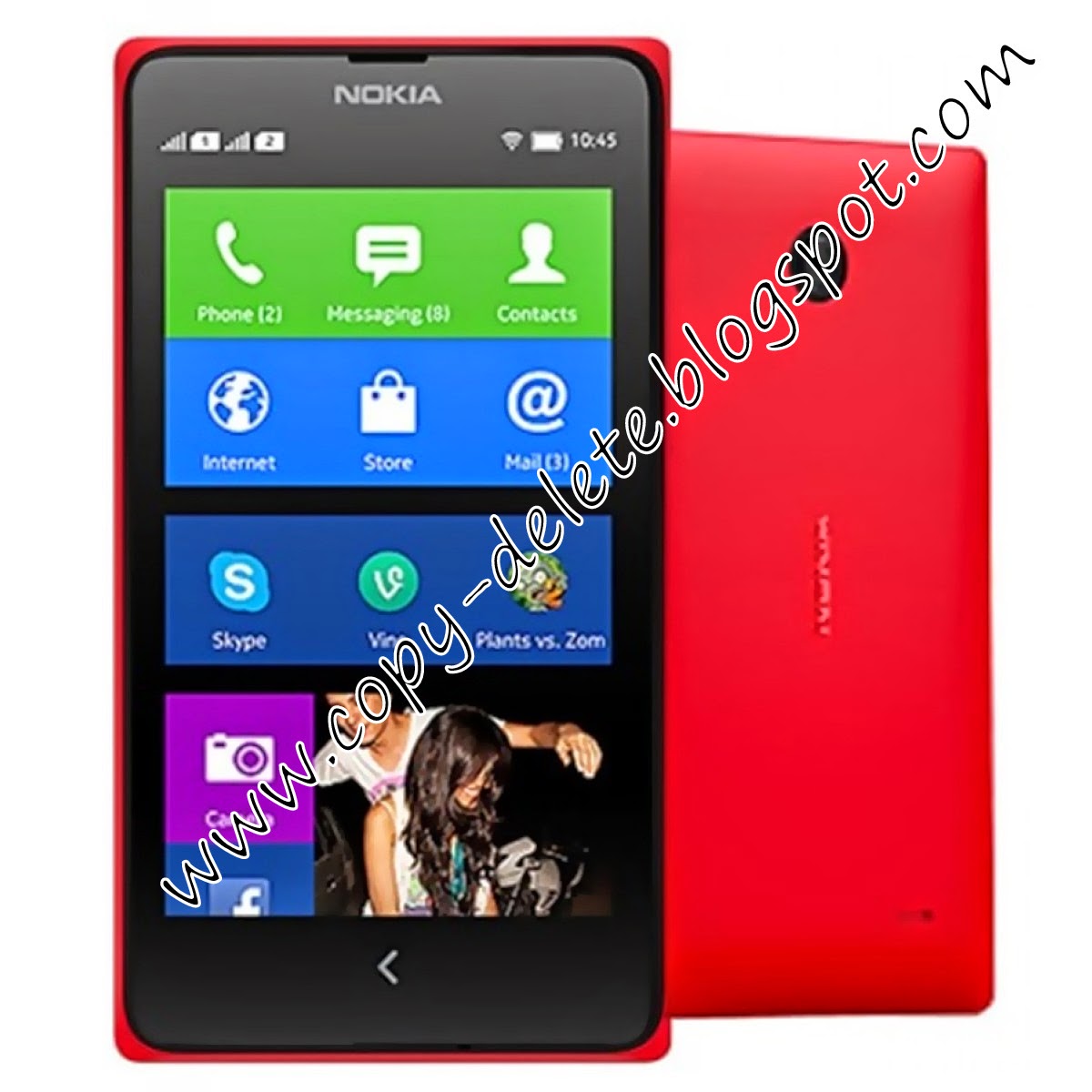 |
| How to root nokia x , Nokia X+ , Nokia XL |
How To Install And Use Google Playstore On Nokia X ,
Nokia X+ , Nokia XL
.jpg "How to root nokia x , Nokia X+ , Nokia XL") |
| How to root nokia x , Nokia X+ , Nokia XL ( Pic Credit :- SKYNEEL.COM ) |
How to root nokia x , Nokia X+ , Nokia XL - Guide
.jpg "How to root nokia x , Nokia X+ , Nokia XL") |
| How to root nokia x , Nokia X+ , Nokia XL ( Pic Credit :- SKYNEEL.COM ) |
.jpg "How to root nokia x , Nokia X+ , Nokia XL") |
| How to root nokia x , Nokia X+ , Nokia XL ( Pic Credit :- SKYNEEL.COM ) |
nokia x , Nokia X+ , Nokia XL without using pc
Thursday, December 28, 2017
I have forgotten the password for my Nokia X xl X 2
I have forgotten the password for my Nokia X xl X 2
Reset your phone.
Important:
Resetting your phone erases allpersonal content, including apps, and restores the factory settings.
1. Switch your phone off and make sure
the charger is disconnected.
2. Press and hold the volume up key.
3. Press the power key for about 1
second.
4. When the phone vibrates, release the
power key, but continue holding the
volume up key, until the phone is fully booted up. This procedure will boot the phone in recovery mode.
5. Use the volume up/down keys to navigate through the menu and select the wipe data/factory resetoption.
6. Press the power key to activate the
option and reset the phone.
Enjoy
For Nokia x2 dual sim hard ware reset :
Hard Reset Using Hardware Keys
Step 1.Switch off your phone.
Step 2.Press together volume up and power button.
Step 3.When Nokia logo appears on screen, release your finger from the power button but keep pressing volume up. You will reach to recovery screen as seen in the screenshot below.
Step 4.Select with volume keys “wipe data/ factory reset” and press power key to confirm.
Step 5.Select “yes” and press power to
confirm.
Step 6.Press power key to confirm “reboot”
Step 7.Wait until the phone restarts.
Manual Reset
If your phone is not working properly, you can reset your phone to its original settings. This deletes all data from your phone, including any apps you’ve downloaded.
Back up the content you want to keep to a compatible memory card or to a compatible computer.
End all calls and connections.
On the start screen, swipe left, and tap
Setting> Backup and reset.
Tap Factory reset > Reset.
If asked, type in the security code.
Tap Reset. After restoring the original settings, your phone switches off and then on again. This may take longer than usual.
for Nokia X Services updates like fb page
FOR DAILY UPDATES LIKE OUR PAGE
https://fb.com/NokiaXServices
https://fb.com/earthreading
https://earthreading.blogspot.com
Wednesday, December 27, 2017
HOW TO ROOT UNROOT NOKIA X NOKIA X NOKIA XL WITH PLAYSTORE IN EASY AND SIMPLE WAY
HOW TO ROOT UNROOT NOKIA X NOKIA X NOKIA XL WITH PLAYSTORE IN EASY AND SIMPLE WAY

Hello fandroids, this is a step by step tutorial to show you how you can easily root and unroot and then install Plat Store on your Nokia X, X+ and XL in a easy steps using a Frame software (this method doesn�t require pc to root your device, all the things can be done easily on your phone itself). Dont use rooting to pirate applications and games, only use it for productive work. I am showing you this guide because lot of people are worried about the phone storage and want to transfer games in to their external sd card to play games and as well as they are missing playstore from Nokia X.
your PC or else you can download them directly into your Nokia X
http://www62.zippyshare.com/v/71707642/file.html
http://www62.zippyshare.com/v/73331967/file.html
.png)
.png)
.png)
.png)
.png)
.png)


HOW TO INSTALL PLAY STORE ON NOKIA X, X+ AND XL


HOW TO UNROOT NOKIA X, X+ AND XL

Video Turorial is coming soon.