Showing posts with label soft. Show all posts
Showing posts with label soft. Show all posts
Thursday, December 21, 2017
How to Soft Reset LAVA Iris 402e
How to Soft Reset LAVA Iris 402e
Soft Reset LAVA Iris 402e
First Method
- Remove the battery from your device for a few seconds
- Now put back battery into your phone.
- Press the Power button, wait for device to turn on.

Second Method:
01.Press and hold Power button and wait until the phone turns off.
02.Wait about 10 seconds.
3.Now press the Power button, and wait until the phone turns on .
3.Now press the Power button, and wait until the phone turns on .
Hard Reset LAVA Iris 402e

Friday, December 1, 2017
How to Hard Reset and Soft Reset Nokia Asha 501
How to Hard Reset and Soft Reset Nokia Asha 501
If you are thinking of sending your phone for repair, check these easy steps first. They may fix the issue and save your time and effort.
Easy fix 1: Restart your phone
Switch your phone off and take the battery out. Wait a few seconds put the battery in and switch your phone on.
Easy fix 1: Restart your phone
Switch your phone off and take the battery out. Wait a few seconds put the battery in and switch your phone on.
Easy fix 2 : Charge your phone
Charge the battery
1. Plug the charger to a wall outlet.
1. Plug the charger to a wall outlet.
2. Connect the charger to the phone.
3. When the phone indicates a full charge, disconnect the charger from the phone then from the wall outlet.
If the battery is completely discharged it may take several minutes before the charging indicator is shown or before you can make any calls.
If the battery has not been used for a long time, to begin charging you may need to connect the charger then disconnect and reconnect it.
Easy fix 3: Restore to factory settings
Restore original settings: If your phone is not working properly you can reset some settings to their original values. This does not affect documents or files stored on your phone but we recommend you take a back-up before restoring to factory settings. See instructions in the user manual.
1. End all calls and connections.
2. Select: Menu > Settings and Restore factory sett. > Settings only.
3. Type in the security code.
After restoring the original settings your phone switches off and then on again. This may take longer than usual.
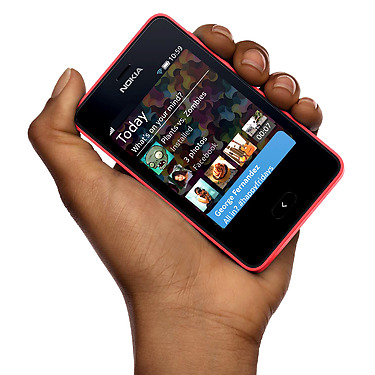
IF the above 3 doesnt work go for
IF the above 3 doesnt work go for
1.- Basic Reset or Soft Reset Nokia Asha 501
This option restores the .ini files from the ROM.
Does not erase data (photos, videos, documents) or applications from a third party. Key Code *# 7780 # (click this combination of keys on the keyboard in the mobile)
Does not erase data (photos, videos, documents) or applications from a third party. Key Code *# 7780 # (click this combination of keys on the keyboard in the mobile)
2.- Total Reset or Hard Reset Nokia Asha 501
This option restores the original operating system from the ROM.
Formats the C: partition and deletes all data including the memory card. Key Code *#7370# (click this combination of keys on the keyboard in the mobile)
How to unlock Nokia Asha 501 by code ?
Formats the C: partition and deletes all data including the memory card. Key Code *#7370# (click this combination of keys on the keyboard in the mobile)
How to unlock Nokia Asha 501 by code ?
Unlocking Nokia Asha 501 by code is very easy, it is also safest and non-invasive method of unlocking your phone. To get code for unlock Nokia Asha 501 You need to provide IMEI number of Your Nokia. Type on keyboard *#06# or remove battery from Your Nokia Asha 501 to check IMEI number. IMEI is written on the information label as shown in this picture.
To unlock Nokia is required choosing network where phone was purchased. You need to also type correct IMEI of Your phone.
Selecting the correct network and the country is very important. By choosing wrong network You will risk receiving wrong unlock code.
How to enter code in Nokia Asha 501 ?
If we have blocked counter we need to enter code or reset counter using USB cable by program below
How to enter Unlock code RESET COUNTER to nokia using USB cable
Code #pw+123456789012345+1# type in the following way:
1. Turn on the phone without sim card
2. Select character # on the keypad
3. Characters p, w, + get by choosing few times STAR *
4. Press # button to approve code
5. Message "SIM restriction OFF" appears, Your phone is now unlocked
WARNING!!!
You have only 3 attempts to enter the code. The last failed attempt will block the counter.
Thursday, November 30, 2017
How to hide native ICS jelly bean soft keys with out custom rom
How to hide native ICS jelly bean soft keys with out custom rom
Most of the ICS and jellybean running tablets comes with soft touch keys instead of hard buttons. These buttons automatically hides when we enter movie mode. But it wont Auto hide sometime when we are engaged in gaming. Also it might get really annoying to get notifications and things when we are engaged in hardcover gaming. But there is a simple solutions for all these problems. We will still be able to peep into notification while the entire notification bar is hidden. Wow.. Thats a great deal.. Here follow these simple procedures and enjoy full screen on your Android device.
Caution : root required
CLICK HERE TO DOWNLOAD ALL REQUIRED FILES
Subscribe to:
Posts (Atom)