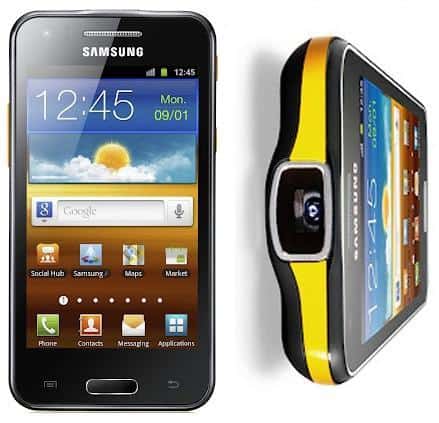
You now don�t need a separate projector to enjoy movies with your family on big screen, all you need is the Samsung�s Galaxy Beam smartphone. You might be wondering how a smartphone could replace a projector, but this smartphone exactly does it. The smartphone is equipped with a projector so you can enjoy all your videos, pictures and games on the big screen. Since it drains out battery very quickly, the phone�s got two high-capacity batteries to make your experience uninterrupted. Being an Android device, the smartphone can be rooted and in the following guide, we�ve compiled all the steps you should follow to root your Samsung Galaxy Beam. Let�s get started:
I. Before You Begin:
1. This is gonna void the warranty of your device (until you unroot it).
2. You must have drivers for your device installed on your PC. You can get them from here.
II. Downloading Required Files:
1. Rooted Kernel
2. Odin
3. Samsung Drivers
III. Rooting the Samsung Galaxy Beam I8530:
1. Place both the files you downloaded to your Desktop.
2. Extract files from the Odin archive to your Desktop.
3. Double-click on the Odin executable file and it should launch.
4. Turn OFF your device.
5. Reboot it into Download mode. This can be achieved by pressing and holding the Volume DOWN+Home+Power buttons together.
6. Once in Download mode, connect the device to your PC via USB cable.
7. In the Odin, click on PDA and then select the Rooted Kernel (.tar) file you placed on your Desktop.
8. Hit the Start button and sit back and relax.
9. Once it�s done flashing the file, the device should reboot.
10. And you�re rooted now!
Brilliant! Your Galaxy Beam has been successfully rooted using the rooted kernel. Some of the cool root-only apps are waiting for you right in Google Play, give them a try!
If this procedure helped you please thank/donate to the original developers here.
If you need help with this procedure, please ask in the comments below.


.png)
.png)
.png)
.png)