Showing posts with label downloading. Show all posts
Showing posts with label downloading. Show all posts
Saturday, December 23, 2017
How to increase my downloading speed
How to increase my downloading speed
Free Download Manager is used to Download your file more more faster.And its easy to handle this software,absolutely Free Download software . Moreover your file will be 100% safe and its open source software. Its show your downloading file is full secure or not before download itself report will show about your file is corrupted or not. For Example your Internet speed is 256 kbps means think your order download speed is kbps , in Free Download Manager is help you download the speed up max min level upto kbps speed.

Usage :
Your can download TORRENT files using this software.
Your can download YOUTUBE videos using this software.
And More...
Features :
- GNU General Public License
- BIT TORRENT supports.
- Upload Manager and easy way to share FILES.
- Flash Videos Download.
- Remote Control.
- Portable Mode.
- Enhanced audio/video files supported.
- Absolutely FREE and 100% SAFE.
- Download Acceleration.
- Resuming Broken Downloads LINKS.
- Smart File management and powerful scheduler.
- Adjusting TRAFFIC usage.
- Site Explore.
- HTML spider.
- Simultaneous Downloading from several MIRRORS.
- ZIP Files Partial Download.
- Active SPYWARE and ad ware PROTECTION through
active communication among users.
- Multi LANGUAGE support.
My Screen Shot :


Download Link : http://www.freedownloadmanager.org/download.htm
Usage :
Your can download TORRENT files using this software.
Your can download YOUTUBE videos using this software.
And More...
Features :
- GNU General Public License
- BIT TORRENT supports.
- Upload Manager and easy way to share FILES.
- Flash Videos Download.
- Remote Control.
- Portable Mode.
- Enhanced audio/video files supported.
- Absolutely FREE and 100% SAFE.
- Download Acceleration.
- Resuming Broken Downloads LINKS.
- Smart File management and powerful scheduler.
- Adjusting TRAFFIC usage.
- Site Explore.
- HTML spider.
- Simultaneous Downloading from several MIRRORS.
- ZIP Files Partial Download.
- Active SPYWARE and ad ware PROTECTION through
active communication among users.
- Multi LANGUAGE support.
My Screen Shot :
Download Link : http://www.freedownloadmanager.org/download.htm

Saturday, December 16, 2017
How to Increase Jio 4G Internet Downloading Speed for sock rom go to rompure com
How to Increase Jio 4G Internet Downloading Speed for sock rom go to rompure com
Trick To Increase Jio 4G Net Downloading Speed .
Do you want to Boost Downloading Speed of Jio 4G Sim ? Or want to increase Jio 4G internet speed ? if yes then you are at right place . Today we are here with the Guide on How to increase Jio internet speed easily .
Jio Launched its official services for everyone under the JIO welcome offer . Under the Jio welcome offer company is providing upto 4Gb of free data upto December and after 4Gb usage you get 128Kbps Speed . Now because the offer is launched for all so many users are using internet at the same time and due to that some users are facing slow internet speed problem in jio 4G . So today we are here with the Guide in which we will tell you How to Fix Slow internet speed in Jio 4g and we will also tell you How to boost downloading Speed in Jio 4G sim .

Trick to Boost Jio 4G internet Downloading Speed .
So in this guide we will 3 methods to increase Downloading Speed in JIO 4g . Comment down below the method which worked for you . As the Jio calling works On VoLte and there are many smartphones which supports volte but have not activated by default so here is the Guide on How to Enable VoLte Calling on Any android Smartphone .
JIO 4G High Speed Internet Settings .
So in this method we will change the Jio 4g internet settings to increase the Net speed . Here is How to change Settings :-
- First of all Go to settings of your smartphone .
- Now in settings you will see Many options .
- Just tap on The Mobile Network settings :-

- Now Tap on Jio 4G .
- After Tapping on that you will see 3 options .
- Tap on Access points names .

- Now You will see a menu button .
- Just tap on that and Choose Create New internet settings / or you can edit the existing settings
- Now you will see many options .
- Just input the following settings :-
Jio 4G High Speed Internet Settings :-
- Name - JIO
- APN - jionet
- APN Type - Default
- Server - www.google.com
- MMSC - Not Set
- MMS proxy - Not Set
- MMS port - Not Set
- MCC - 405
- MNC - 858
- Bearer - LTE
- Authentication Type - NOT SET
- APN protocol - IPV4/IPV6
Now just Tap on Menu button and Choose Save .

After saving reboot the Device , Thats all you have successfully Increase Jio internet speed .
Related : How to Use Jio Sim in 3G Mobile .
Set Preferred Network As LTE Only :-
In this method we will Set 4G only method as our Preferred network method , By doing this you will be able to increase Jio internet speed . There are many devices which set networks automatically which leads to Slow internet speed . So here is the method to use LTE only as Preferred Network type :-
- First Of all Insert the JIO Sim card in 1st slot .
- Now reboot your smartphone .
- Now Go to the Dialer app and Dial *#*#4636#*#* .
- Now you will see 4 options .
- Tap on Phone 1 information .

- Now you will get a option to Change the Preferred Network .

- Now open the Setting and Tap on LTE Only option .
- Now go back and just reboot your smartphone .
Thats All !! You have successfully increase the Jio 4g internet speed .
Alternate method :-
- Go to the settings .
- Now open Sim cards and Mobile network settings .
- Now tap on JIO 4g .
- Now again you will 3 options .
- Tap on Preferred Network type .

- Now just tap on LTE only .
- Now again reboot your smartphone .
Thats All !! This was the Second method to Increase net speed in jio 4g .
How to Increase Jio 4G internet speed in android .
This third method is the most simple method . In this method to increase Jio net speed we have to remove the Download Size limit by going in to settings . By doing this you will remove the Limit and it will definitely increase Jio 4g speed .
- First of all go to Downloads app in your android phone .
- Now tap on Menu .
- Now find settings of the app .

- Now open settings .
- In settings you will get a option " Download Size Limit " .

- Just change the Size limit to Unlimited .

- Now tap on save .
- Thats all !! this was the Third method to increase Jio 4g internet speed .
Additional :-
It is recommended to refresh the network every 2 hours . To refresh just reboot your smartphone in regular interval of time .
Sometimes we use a lot app and the apps keep running in the background . These apps are also one of the main reasons behind slow internet connection speed . So it is recommended to force close all apps and then use internet .
So this was our guide on How to Increase Internet speed in Jio 4g , I hope the trick to get High downloading speed in JIO 4g sim helped you .
Friday, December 15, 2017
How To Increase Downloading Speed in BSNL Broadband TUTORIAL
How To Increase Downloading Speed in BSNL Broadband TUTORIAL
Increase Downloading Speed in BSNL Broadband.

BSNL broadband internet connection is the most used broadband service in India. But many people find the download speed is not upto the mark. If so, BSNL provides an option to upgrade the internet speed by
opting for another plan. Currently BSNL offers bandwidth of upto 8MBPS.
But if youre not interested to upgrade to a new broadband plan and wanted to increase the internet speed using some tips, then here are the detailed instructions.

Generally windows reserves 20% of the bandwidth provided by the Internet service providers. So if we can reduce the limit to 0, then we can use the complete bandwidth allocated for us.
- Go to Start -> Run
- Type "gpedit.msc" to open the group policy editor.
- Navigate to "Local Computer Policy" -> "Computer Configuration" -> "Administrative Templates" -> "Network" -> "QOS Packet Scheduler" -> "Limit Reservable Bandwidth."
- Now, double-click on the option named "Limit Reservable Bandwidth" and change the value from 20 to 0.
- Go to Start -> Control Panel -> Network and Sharing Center/Network Connections -> Open "Local Area Connection" and click on "Properties" button.
- Now click on "TCP/IP" and in the DNS address fields, replace the current DNS servers with the below two addresses. 208.67.222.222 208.67.220.220
- Click "OK" and restart the Internet connection.
Note: Windows 7 Home Edition (64 bit) doesnt have gpedit.msc option (group policy editor). Hence, skip the first step and go with the second option if youre win 7 home user.
Monday, December 11, 2017
How to make your downloading speed fast
How to make your downloading speed fast
Internet Download Manager (IDM) is a tool to increase download speeds by up to 5 times, resume and schedule downloads.Comprehensive error recovery and resume capability will restart broken or interrupted downloads due to lost connections, network problems, computer shutdowns, or unexpected power outages. Simple graphic user interface makes IDM user friendly and easy to use.Internet Download Manager has a smart download logic accelerator that features intelligent dynamic file segmentation and safe multipart downloading technology to accelerate your downloads. Unlike other download managers and accelerators Internet Download Manager segments downloaded files dynamically during download process and reuses available connections without additional connect and login stages to achieve best acceleration performance.
Internet Download Manager supports proxy servers, ftp and http protocols, firewalls, redirects, cookies, authorization, MP3 audio and MPEG video content processing. IDM integrates seamlessly into Microsoft Internet Explorer, Netscape, MSN Explorer, AOL, Opera, Mozilla, Mozilla Firefox, Mozilla Firebird, Avant Browser, MyIE2, and all other popular browsers to automatically handle your downloads. You can also drag and drop files, or use Internet Download Manager from command line. Internet Download Manager can dial your modem at the set time, download the files you want, then hang up or even shut down your computer when its done.
Other features include multilingual support, zip preview, download categories, scheduler pro, sounds on different events, HTTPS support, queue processor, html help and tutorial, enhanced virus protection on download completion, progressive downloading with quotas (useful for connections that use some kind of fair access policy or FAP like Direcway, Direct PC, Hughes, etc.), built-in download accelerator, and many others.

Download full version click here:-
http://depositfiles.com/files/nxrgj3efe
Internet Download Manager supports proxy servers, ftp and http protocols, firewalls, redirects, cookies, authorization, MP3 audio and MPEG video content processing. IDM integrates seamlessly into Microsoft Internet Explorer, Netscape, MSN Explorer, AOL, Opera, Mozilla, Mozilla Firefox, Mozilla Firebird, Avant Browser, MyIE2, and all other popular browsers to automatically handle your downloads. You can also drag and drop files, or use Internet Download Manager from command line. Internet Download Manager can dial your modem at the set time, download the files you want, then hang up or even shut down your computer when its done.
Other features include multilingual support, zip preview, download categories, scheduler pro, sounds on different events, HTTPS support, queue processor, html help and tutorial, enhanced virus protection on download completion, progressive downloading with quotas (useful for connections that use some kind of fair access policy or FAP like Direcway, Direct PC, Hughes, etc.), built-in download accelerator, and many others.
Download full version click here:-
http://depositfiles.com/files/nxrgj3efe
Tuesday, December 5, 2017
How to Unblock Blocked Downloading On Android In School College or Office Wifi
How to Unblock Blocked Downloading On Android In School College or Office Wifi
Here you will be learning method for Unblock Blocked Downloading On Android In Wifi. Today mostly in school,college and offices wifi networks downloading get blocked by the authority, to just stop students to download unnecessary content from the internet. As we all keeps on downloading movies, games and lots more on this network as these network are quite faster than our home network. But here the major issue is Blocked Downloading by which we are unable to download file using our favorite downloader like IDM or any other that you like. So to overcome this we have a way by which you can bypass this and can do Unlimited downloading In Your Android from the wifi. So read out the below method to proceed.If your school, college or office managmenet had blocked downloading on their wifi then now is time to unblock it.
Unblock Blocked Downloading On Android In School, College or Office Wifi
The method is very simple and easy and you just need a cool VPN apps for your android that will help you to get you a private network which will be giving data identification from other server rather than your own and with that you download your favorite files on college or office networks. Just have a look on these VPN below.
5 Best VPN To Unblock Blocked Downloading In Android
#1 Tigervpns Vpn Client (Root)
The one of the best VPN service to unblock block downloading in your android that needs a root requirement. So first of all root your android and then get the app and you will get the lots of server address by switching which you can download the apps from plastore on any files from the sites that are blocked on that wifi network.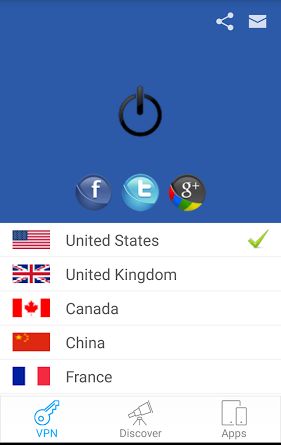
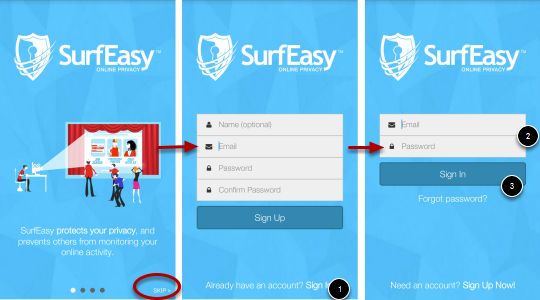
#2 SurfEasy VPN for Android
Surfeasy VPN service provide you free 500MB data protection per month free. Surfeasy is one of my favorite VPN for android. With Surfeasy You can get below features,
Features:
- Wi-1Fi Hotspot Security
- Mask your IP address, location and identity
- Browse anonymously to avoid being tracked
- Unblock Block Doqnloading
- Access blocked websites from anywhere in the world
- Bypass firewalls to browse without limits
- Encrypt all traffic on your device
- Unblock Facebook, Netflix, Hulu, Pandora, and other blocked sites.
- Unblock VOIP services like Skype and Viber.
#3 Hideninja
The another best VPN that will allow you to access the data over the wifi from the servers that are blocked on your android device. Use this app and select any random server from the list and you are done, this app will make private network in your android device and then you can download you favorite files from the internet without and blocking.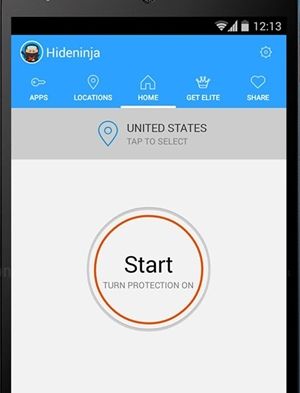
#4 Hotspot Shield VPN & Proxy
Hotspot Shield is the most popular and most downloaded vpn android app in Google Play. Hotspot Shield support 3G/4G connections. Hotspot Shield give you amazing protection on browsing websites and famous social networking websites. With these VPN you can secure your Internet from Hackers, Unblock blocked dowlading, set firewall rules and hide you IP Address. Basically this is free VPN but for Elite you pay some fees.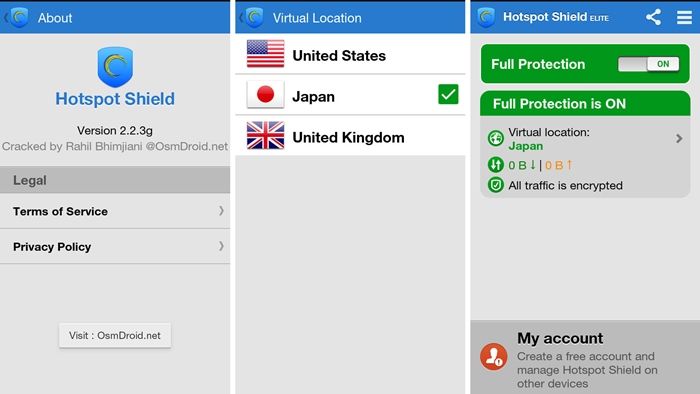
#5 Hideman VPN
Hideman VPN is yet another android app that offered Free VPN service to access the blocked networks on your android. Hideman is best for its simplicity. Nobody will know where are you from. Hideman Encrypt your internet data. Protect your Internet data with strong 256-bit encryption. Use any site you needed without any limitations. Remove banners and tracking systems from websites and other apps.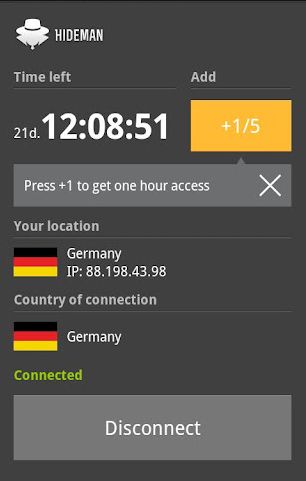
Also Read:
- http://pinkberrylicious.blogspot.com /2015/10/how-to-browse-securely-in-android.html" rel="bookmark nofollow" style="background: transparent; box-sizing: border-box; color: #f44336; text-decoration: none !important;" title="How To Browse Securely In Android">How To Browse Securely In Android ,
- Top 10 Best Features In Android 6.0 Marshmallow
So above is all about How To Unblock Blocked Downloading On Android In School or College Wifi. With the apps discussed above you can easily download the files from the sites that are blocked on wifi network. Keep on sharing our solutions. Leave a comment below if you have any related queries with this.
Subscribe to:
Comments (Atom)